Published: July 13, 2026
Last Updated: August 31, 2026
Three remotes on the table. A screen you keep calling “fine.” Speakers you’ve meant to replace since sometime last year. None of that is a motivation problem. It’s that every gadget list out there picks one category, ignores the other five, and never actually tells you what to buy first.
So here’s the fix. Twenty gadgets, sorted into a four-layer system built around what you already own, what your room looks like, and what you’re actually willing to spend. Short on time? Skip straight to the Budget Breakdown section for three complete setups at different price points.
This one’s for buyers in India, the US, and the UK. Streaming boxes, full home-theatre upgrades, party gear, gaming equipment, all of it, all built for 2026 prices. And those prices move constantly, so treat every number here as a planning figure, not something you can quote back at checkout. Confirm local availability. Check the warranty terms. Get the plug type right before you pay. Most people skip that last one and regret it later.
Quick answer: Six buckets, if you want the short version. Displays, meaning TVs and projectors. Audio, which stretches from a basic soundbar all the way to a full spatial rig. Streaming devices. Gaming and VR headsets. Smart control hubs. Then ambiance tech, smart lighting, acoustic treatment, the stuff that finishes a room off. What actually makes sense for you comes down to room size, what you’re already running, and whether you care more about solo immersion or getting a crowd set up for movie night.
Definition
Entertainment gadgets are electronic devices designed primarily for leisure and media consumption at home, including displays, audio systems, streaming hardware, gaming devices, VR headsets, and smart ambiance accessories.
What Actually Counts as an Entertainment Gadget in 2026
A TV. Maybe a Blu-ray player. That’s what this category meant five years ago. Now it splits into six distinct types: displays covering TVs and projectors, audio running anywhere from a $100 soundbar to a full 11.1.4-channel surround setup, streaming hardware spanning sticks, boxes, and whatever smart platform’s already baked into the TV, gaming and VR devices, smart control hubs like voice-controlled speakers, and atmosphere accessories, smart lighting, acoustic panels, that kind of thing.
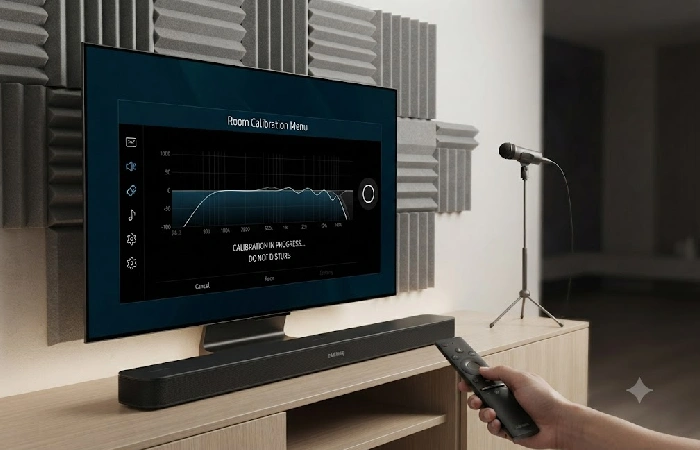
The real shift isn’t the product list, it’s what’s happening underneath it. The Matter protocol from the Connectivity Standards Alliance finally lets gadgets from different brands actually talk to each other, no more getting locked into one app or one ecosystem just because of what’s plugged in. AI-powered room calibration is doing something similar for sound: Samsung’s SpaceFit Sound Pro and Sonos TruePlay can auto-tune audio to a room’s actual dimensions instead of leaving everyone stuck with generic factory presets.
The global home entertainment device market backs this up. Fortune Business Insights projects it’ll hit USD 359.1 billion in 2026, up from USD 344.09 billion in 2025, and climbing toward USD 505.31 billion by 2034 Fortune Business Insights, Home Entertainment Device Market Report.
That kind of spending reflects a consumer base that’s moved well past “buy a TV” and into building real systems at home.
The Entertainment Stack: Build a System, Not a Collection
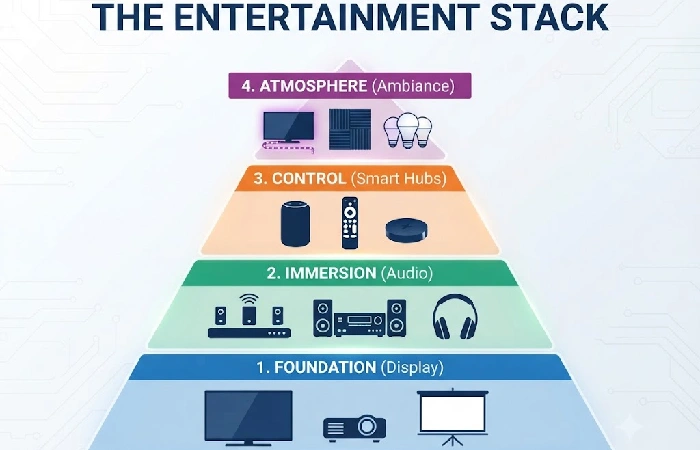
Someone watches a YouTube review, drops $1,200 on a soundbar, plugs it into a 10-year-old TV with no eARC, and can’t figure out why it sounds nothing like the demo. Or they grab a 4K streaming stick and hook it up to a 1080p panel. Half that signal never even reaches the eyes watching it.
Buying gadgets one at a time without a plan creates mismatched setups. Thinking in layers fixes that.
- Foundation (Display) covers TVs, projectors and screens. Upgrade this first if your screen is over 5 years old or under 43 inches.
- Immersion (Audio) covers soundbars, speakers and spatial headphones. Upgrade this first if you’re still using built-in TV speakers.
- Control (Smart hubs) covers streaming devices, smart speakers and universal remotes. Three or more remotes, or manually switching HDMI inputs by hand, that’s the sign this layer needs attention first.
- Atmosphere (Ambiance) covers smart lighting, acoustic panels and bias lighting. This one goes last, only once the hardware’s solid but the room still somehow feels like “just watching TV.”
Your weakest layer is the one worth upgrading first. That sounds obvious, but it runs against how most people actually shop. Audio feels like the bigger upgrade, the more exciting one, and sometimes it is, but only once the screen’s already at 4K. Stuck on 1080p, and every streaming device and gaming console in the stack is pushing a signal the display physically can’t use.
One layer at a time. Fix the weakest, live with it a couple weeks, then reassess before touching the next one.
Here is a simple room-first order that prevents duplicate purchases:
- Fix picture quality and viewing position.
- Fix speech clarity and sound coverage.
- Pick the content and gaming source.
- Add shared-use accessories, then ambient extras.
That order is the difference between a setup that gets used daily and a shelf of smart entertainment devices with overlapping jobs.
10‑Minute Decision Model
Use this quick decision model instead of adding products to cart by category:
- If dialogue is unclear, buy a soundbar with eARC and a centre channel. Check that your TV has an eARC port and confirm the room size.
- If apps are slow or missing, buy a 4K streaming player. Check local app support and HDR format.
- If movies feel small, buy a larger TV or a projector. Check seating distance and daylight in the room.
- If games feel delayed, adjust TV gaming settings or upgrade to a gaming‑friendly display. Check ALLM, VRR and input lag.
- If video buffers, improve your network with Ethernet or mesh Wi‑Fi. Test speed in the viewing room, not just next to the router.
- If you cannot watch late, buy wireless headphones. Check TV Bluetooth latency and lip‑sync behaviour.
- If guests want an activity, add a karaoke set or extra controllers. Check space, noise limits and building rules.
Some upgrades solve the wrong problem. A subwoofer will not make dialogue clearer, reactive lights will not brighten a dim television, and a premium streamer cannot rescue weak broadband. Find the bottleneck first.
Best Display and Visual Gadgets
Best TVs for Entertainment
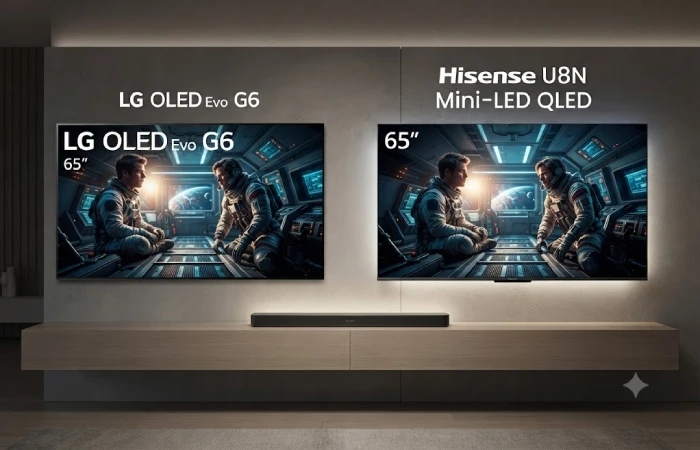
Every other gadget in this list depends on the screen it’s feeding. Weak display, and nothing downstream performs at full potential, no matter how good the audio or the streaming box gets. Three picks cover most budgets people are actually working with.
- LG OLED Evo G6 (65″) — Self-lit pixels are what make the LG OLED Evo G6 worth the price tag, true blacks with zero backlight bleed, something no LED panel fully replicates. 4K at 120Hz, Dolby Vision, and all four HDMI ports running 2.1, which matters more than people expect once a gaming console and a streaming device are both plugged in at once. 65 inches. ~$2,200 / ~₹1,85,000.
- Hisense U8N (65″) — Then there’s the Hisense U8N, mini-LED QLED with local dimming zones smart enough to get close to OLED-level contrast for roughly half the price. Dolby Vision’s here too, Google TV built right in. Whatever gets saved buying this over the LG can go straight into the audio setup instead of a marginally better panel. 65 inches. ~$1,000 / ~₹85,000.
- Samsung Crystal UHD DU8000 (55″) — Entry-level 4K, and it knows it. HDR10+, Tizen OS, every major streaming app already installed, nothing pretending to be something it’s not. Tight budget, 55 inches, job done. ~$400 / ~₹35,000..
Best Projectors for Home Use
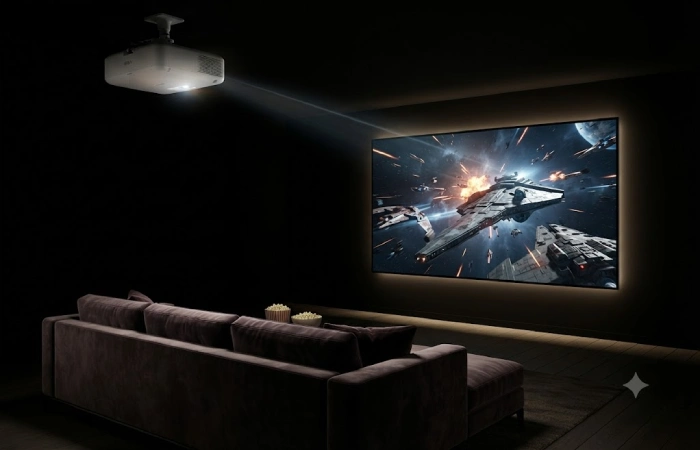
Screen size is where projectors win, nothing at this price gets close on a TV. The trade-off is real, though: a room that can actually go dark, and either wall space or a proper screen to point at.
- The Epson EpiqVision LS12000 solves the one thing that used to make projectors annoying, bulb replacement, with a laser light source rated past 20,000 hours. That alone justifies the price for some buyers. On top of it: 4K resolution, HDR10+, and brightness that holds its own even with some ambient light in the room. ~$3,000 / ~₹2,50,000.
- Vevshao A10 — Budget, 1080p, built for a genuinely dark room, three words that sum up the Vevshao A10 before getting to what it actually does well. Android TV comes built in. Auto-keystone correction means skipping the usual manual alignment headache entirely. One catch worth knowing before buying: any light at all in the room, and the picture falls apart fast. ~$180 / ~₹15,000.
Direct sunlight in the room, no way to install blackout curtains, that’s the dealbreaker. Skip projectors entirely in that case. A decent TV in a bright room will outperform even a great projector fighting ambient light every single time.
Best Audio and Sound Gadgets
Best Soundbars and Home Theater Systems
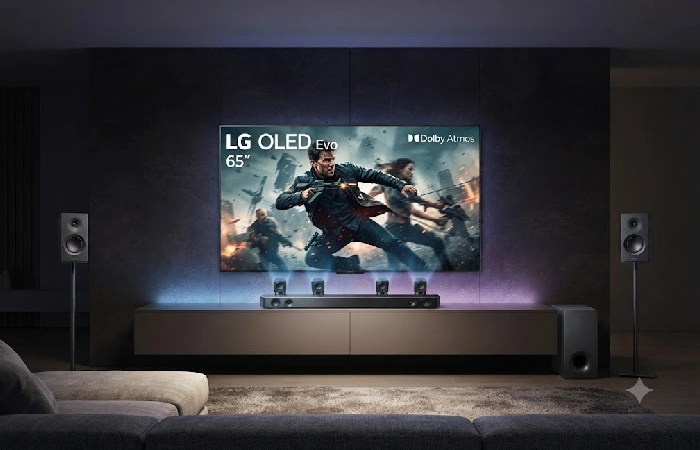
Audio is where most people should spend first, assuming their display is at least 4K. Built-in TV speakers are universally thin for a simple reason: modern TVs don’t have enough physical depth to house drivers that move real air. Even a budget soundbar changes the viewing experience more noticeably than jumping from 4K to 8K on your screen.
- Samsung HW-Q990F — 11.1.4-channel Dolby Atmos with wireless rear satellites and wireless subwoofer. That channel count is real, not marketing. Dolby Atmos uses upward-firing and height channels to bounce audio off your ceiling, creating a three-dimensional spatial effect that stereo soundbars physically cannot replicate Dolby Atmos for the home, Dolby.com. Samsung’s SpaceFit Sound Pro auto-adjusts EQ to your room’s shape. ~$1,300 / ~₹63,990.
- Sony Bravia Theatre System 6 (HT-S60) — 5.1-channel Dolby Atmos at mid-range pricing. Worth calling out: the dialogue enhancement mode isolates vocal frequencies so you hear characters speak clearly without cranking volume during action sequences. ~$600 / ~₹49,990.
- Zebronics Zeb-Juke Bar 9500WS Pro — An India-market entry point with 5.1 Dolby surround at a price that makes the upgrade close to impulsive. It won’t match the Samsung’s build quality or bass depth. What it will do is give you actual speakers instead of TV speakers, and that’s the gap that matters most. ~$115 / ~₹9,499.
And look, a 2.1 system in a small room will outperform a 9.1.4 system fighting its own echoes. Match the channel count to your room, not the spec sheet.
Best Portable Speakers and Earbuds
Not everything on this list is meant for a living room. Some of it’s built for the backyard, the balcony, the hike, wherever a TV setup doesn’t reach.
- Durability is the whole pitch with the JBL Xtreme 5. It survives dust, survives water, keeps going for a full day on one charge, and somehow still throws bass that holds up without four walls around to help it. That last part matters more outdoors than people expect, open air eats low frequencies alive. Expect to pay around $350, closer to ₹28,000. Then there’s the apartment problem, the one nobody talks about when they’re shopping for a soundbar. Thin walls mean every movie night becomes a negotiation with whoever lives next door. Sony’s WF-1000XM6 sidesteps that entirely, noise-cancelling, LDAC-equipped for real high-resolution streaming, and loud enough in-ear that the neighbors never know a movie’s even playing. Around $280, or ₹22,000, and arguably a smarter buy than a soundbar for anyone in that exact situation.
Best Streaming and Smart Hub Devices
Best Streaming Sticks and Boxes
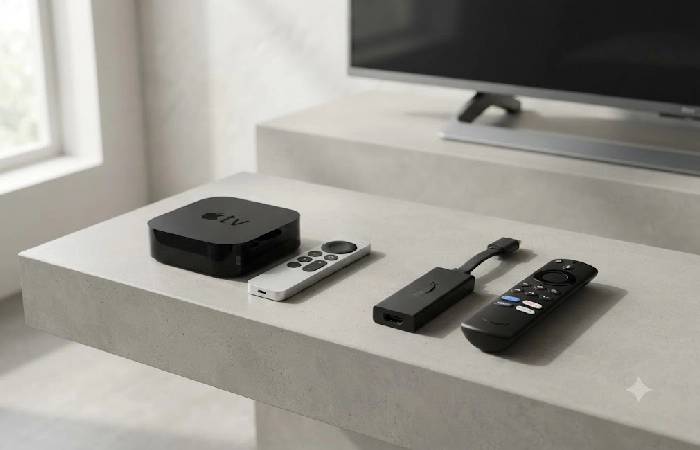
Built-in smart platforms slow down fast, missing apps, clunky updates, an interface that somehow gets worse over time. A streaming device fixes that for under $130.
- Anyone already inside Apple’s ecosystem should just get the Apple TV 4K. Full Dolby Vision and Atmos, Thread support for smart home control, and finally, a remote using USB-C instead of Lightning. ~$130 / ~₹16,900.
-
Wi-Fi 6E, Dolby Vision, Atmos, Alexa built in, all for a third of what Apple charges, that’s the pitch behind Amazon’s Fire TV Stick 4K Max. Ambient Experience alone makes it worth a look, turning an idle screen into something closer to a smart display than dead glass. ~$60 / ~₹6,999.
- Google took the smart-home route instead of the ecosystem route. The TV Streamer runs on Matter and Thread, so it’s controlling lights, cameras, and locks, not just playing video. Atmos works out of the box, Dolby Vision’s hit or miss depending on the app. ~$100 / ~₹8,999.
Best Smart Speakers as Entertainment Hubs
Sonos Era 100: small speaker, big sound. Works alone for music, as a hub for voice control, or as one node in a multi-room setup. AirPlay 2, Bluetooth, Wi-Fi. ~$250 / ~₹22,000.
It won’t replace a soundbar, though. Different job entirely, smart speakers are built for vocal clarity and clean playback, soundbars for wide frequency range and spatial sound across the room. More watching than listening means the soundbar wins.
Best Gaming and VR Entertainment Gadgets
Best VR Headsets for Home Entertainment

2025 is when VR quietly crossed a line, worth it for people who’ve never touched a controller in their life, not just gamers chasing frame rates. Movies stretch across a virtual hundred-foot screen. Concerts happen from the couch. Workouts stop feeling like punishment once there’s a fitness app making them interesting. None of that matters much, though, if the headset’s uncomfortable an hour in, and comfort varies more between models than any spec sheet lets on.
- The Meta Quest 3S is where most people should start. Standalone, no PC needed, and it comes with the biggest content library of any headset on the market. Screen quality takes a hit compared to its bigger sibling, sure, but that’s a fair trade for $300 when someone’s not even sure VR’s going to stick. ~₹30,000.
- Meta Quest 3 — Sharper display. Better mixed reality cameras. Qualcomm’s Snapdragon XR2 Gen 2 running the show underneath. That’s the Meta Quest 3 in three phrases, and at $500, it’s built for someone who’s already decided VR isn’t a phase. ~₹50,000.
- Pimax Crystal Light — PC VR for people who care about visual fidelity above everything else. Higher per-eye resolution than any standalone headset on the market, but it requires a gaming PC and a tethered cable. Specialist device. ~$700 / ~₹58,000.
VR works best solo. If your main goal is group movie nights, a TV or projector still serves more people at once.
Best Gaming Handhelds
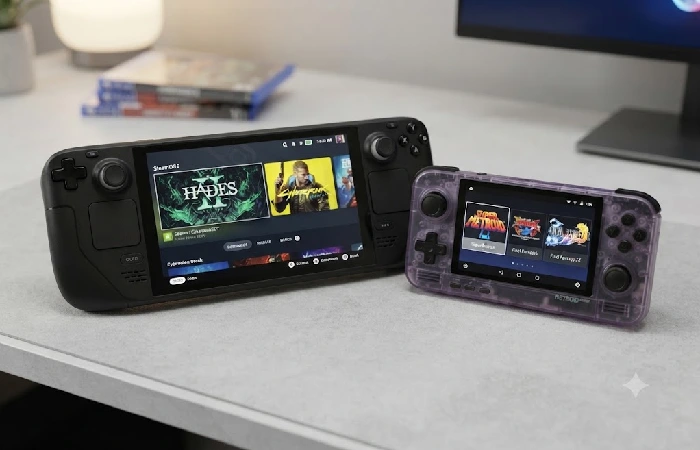
- Retroid Pocket 4 Pro — Retro games from NES through PS2, plus Android titles. The real appeal is library depth: thousands of classics through legal emulation, no subscription required. ~$150 / ~₹12,500.
- Steam Deck OLED — Plays your existing Steam library on a handheld OLED screen. If you already own Steam games, this isn’t really a new purchase. It’s a new way to play what you’ve already paid for. ~$550 / ~₹45,000.
Honestly, skip a handheld if you own a current-gen console and don’t travel much. The overlap in what you can play is larger than marketing suggests.
Best Ambiance and Atmosphere Gadgets
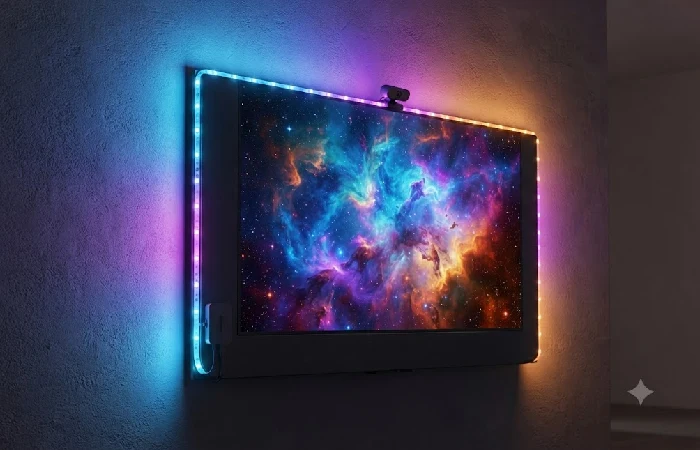
Most people skip this layer. Then they wonder why a $2,000 audio-visual setup still feels like sitting on the couch staring at a rectangle. This is the Atmosphere layer of the Entertainment Stack, and it costs less than any other layer to get right.
- Govee DreamView T1 TV Backlight Kit — An LED strip that mounts behind your TV and syncs colors to on-screen content in real time through a camera module. Bias lighting reduces eye strain during long sessions, and it makes the perceived contrast of your panel look better than the hardware actually is. ~$70 / ~₹5,500.
- Philips Hue Play Bars (2-pack) — App or voice controlled, with content sync through the Hue Sync Box or Gradient app. More precise color zones than strip lighting. Works with both Alexa and Google Home. ~$130 / ~₹11,000.
- Acoustic foam panels (generic, 12-pack) — Nothing glamorous here. But if your room has hard floors and bare walls, audio reflections are muddying whatever your soundbar outputs. A ~$30/₹2,500 set of panels behind your main listening position tightens dialogue clarity more than any EQ slider will.
Skip atmosphere upgrades if your core hardware layers are still incomplete. Smart lighting on a 1080p TV with built-in speakers is decorating the wrong layer of your stack.
What to Check Before You Buy
This is the part most people get wrong. They’ll spend two hours researching which soundbar has the best bass response and zero minutes checking whether their TV can actually pass through the Atmos signal. Before you spend anything, run through this:
- Matter or Thread support? If a smart device doesn’t support at least one, you’re locked into a single manufacturer’s app for control. The Connectivity Standards Alliance maintains a searchable directory of certified products at csa-iot.org.
- HDMI eARC or ARC? Without eARC, your TV can’t pass lossless Dolby Atmos from a streaming device to a soundbar. You’ll get compressed Atmos at best. Stereo at worst. Check the port labels on the back of your TV before ordering.
- Room dimensions? A 5.1.4-channel system in a 10×12-foot room creates more acoustic problems than a 2.1 system calibrated to the same space. Measure first.
- Voice assistant ecosystem? If your house runs on Alexa, a Google-only speaker adds a second control layer instead of simplifying the one you have.
- Firmware update track record? Check the manufacturer’s history for that specific product line. Three years of regular updates is a safer bet than a brand whose last patch shipped 18 months ago.
And here’s what it actually comes down to: most people overbuy on channel count and underbuy on room calibration. A well‑calibrated $600 soundbar in a room with basic acoustic treatment will often outperform a $1,300 flagship running factory defaults against bare drywall.
Compatibility checks that save returns
Before you buy, write down the model number of your TV, console, soundbar and router. Then check these details on the maker’s support page rather than relying on a marketplace title:
- HDMI eARC versus ARC: eARC generally supports higher-bandwidth audio formats. A soundbar can still work on ARC, but features may differ.
- HDMI 2.1 features: 4K at 120Hz, variable refresh rate and auto low-latency mode are separate features. A port labelled HDMI 2.1 does not guarantee all of them.
- HDR formats: Dolby Vision, HDR10 and HDR10+ support is not universal across TVs, streamers and services.
- Power and region: US, UK and India plugs, voltage and app catalogues vary. Imported gadgets may have weak warranty support.
- Subscriptions: streaming services, online multiplayer, cloud gaming and some smart features can carry ongoing fees.
- Physical placement: measure TV stands, receiver depth, projector throw distance and rear-speaker power access.
HDMI Licensing Administrator’s current eARC explainer is worth checking alongside your TV manual, because the labelled port and the product’s supported audio formats both matter. This is the part most people get wrong: a new cable cannot add a feature the television or soundbar does not support.
Budget Breakdown: Entry, Mid-Range, and Premium Setups
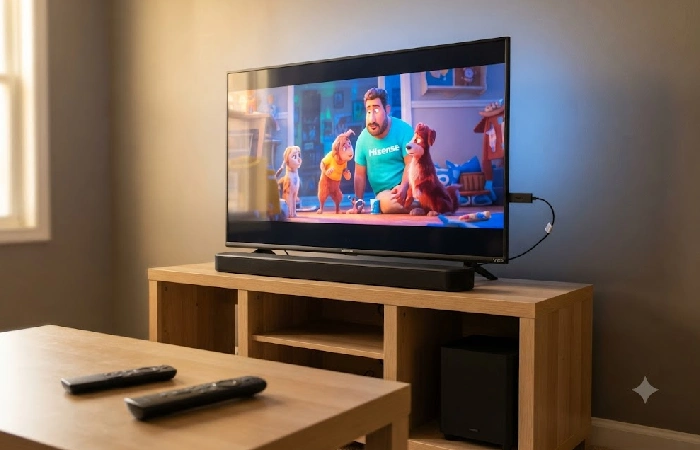
Three real setups. Not wishlists, not aspirational mood boards. The entry tier is a functioning system.
| Component |
Entry (~$200 / ~₹15,000) |
Mid (~$700 / ~₹55,000) |
Premium (~$1,800+ / ~₹1,50,000+) |
| Display |
Your existing TV + streaming stick |
55″ Hisense U8N 4K QLED |
65″ LG OLED Evo G6 |
| Audio |
Fire TV Stick passthrough to TV speakers |
Sony HT-S60 3.1 Dolby Atmos bar |
Samsung HW-Q990F 11.1.4 system |
| Streaming |
Amazon Fire TV Stick 4K ($60) |
Google TV Streamer ($100) |
Apple TV 4K ($130) |
| Gaming/VR |
— |
Meta Quest 3S ($300) |
Meta Quest 3 + Steam Deck OLED |
| Ambiance |
— |
Govee TV Backlight ($70) |
Philips Hue Play + acoustic panels |
The entry tier is for someone whose screen works fine but who wants real streaming quality and the ability to hear dialogue without subtitles. Mid tier is where most buyers get the biggest jump per dollar. Premium is for dedicated rooms where you’re building from scratch, not patching an existing setup.
All prices reflect mid-2026 US retail and approximate Indian MRP as of July 2026. Check the manufacturer’s current listing before buying, since retailer sales and regional availability shift these figures regularly.
Getting Started With Your Entertainment Stack
You don’t need a plan that covers everything. You need five steps.
- Audit what you own. Write down your current TV model, any external speakers, the streaming apps you use, and how many remotes are scattered around. You probably own more working gear than you think.
- Find your weakest layer. Go back to the Entertainment Stack table above. If your display is fine but you’re watching Netflix through TV speakers, audio is the gap. If your audio is decent but you’re manually swapping HDMI inputs between three devices, control is the bottleneck.
- Pick a budget tier. Use the Budget Breakdown table above. Don’t stretch the budget across two layers when one layer done right makes a bigger difference than two done halfway.
- Buy one layer at a time. Live with each upgrade for at least two weeks before touching the next. What you think “needs fixing” changes once one layer actually improves.
- Calibrate before you judge. Run your soundbar’s auto-calibration if it has one. Switch your TV from “Vivid” to “Cinema” or “Filmmaker Mode.” Position speakers at ear height. Fifteen minutes of setup can improve perceived performance more than jumping to the next price tier.
This is the step almost everyone skips, and it’s usually the reason a perfectly good soundbar gets returned as disappointing.
Build three sensible setups
The practical apartment setup
Buy a 4K TV or use the screen you have, add a streaming player if the interface is poor, then choose a compact soundbar with a dialogue mode. Add headphones for late viewing and a small portable speaker for the balcony. This route avoids the bass and cable issues of full surround sound.
The movie-first setup
Start with room light control, a good TV or projector and a screen. Add sound in stages: soundbar, then subwoofer, then rear speakers, or go straight to an AV receiver if you can run cables. Spend time on speaker placement before spending on a more expensive component.
The shared gaming and hosting setup
Prioritize TV gaming settings, a current console, two charged controllers and stable wired or mesh networking. A portable speaker or karaoke kit adds more value for a group than a costly solo accessory. Keep a charger and a labelled HDMI cable near the TV.
FAQ
1. What’s the best budget entertainment setup under $200 / ₹15,000?
Start with an Amazon Fire TV Stick 4K Max at ~$60 / ₹6,999, plugged into your current TV. That leaves roughly $140 / ₹8,000 for a Zebronics Zeb-Juke Bar 9500WS Pro, which adds 5.1 surround. Streaming plus real audio for under $200. The Budget Breakdown table above has the full tier comparison.
2. Do I need a soundbar if I already have a smart speaker?
For movies and gaming, yes. They’re different tools. Smart speakers optimize for vocal clarity and music. Soundbars handle frequency range, spatial positioning, and keeping dialogue audible during loud action sequences.
3. Are VR headsets worth it just for watching movies?
Solo? Genuinely yes. A Meta Quest 3S gives you the equivalent of a private 100-foot cinema. For group viewing, not really. One person gets the headset. Everyone else gets left out.
4. Which streaming device supports both Dolby Atmos and Dolby Vision?
Apple TV 4K and Amazon Fire TV Stick 4K Max both handle both. Google TV Streamer does Atmos, but Dolby Vision support varies app by app.
5. How do I know if my gadgets are compatible with each other?
Three things to check. Matter/Thread certification (look for the logo on the box), HDMI eARC support on your TV, and whether your devices share a voice assistant (Alexa, Google, or Siri). The full checklist is in the “What to Check Before You Buy” section above.
6. What’s the difference between a projector and a large TV?
Screen size per dollar, projectors win. A $1,000 projector throws a 120-inch image. A 120-inch TV doesn’t exist at any consumer price. But TVs win on brightness, daytime usability, and zero setup beyond plugging in a power cable. Your room’s light conditions should make this decision for you.
7. Can I build a full setup without any wires?
About 90% wireless is realistic right now. Wireless soundbar satellites and sub (like the Samsung HW-Q990F), Bluetooth earbuds, Wi-Fi streaming sticks, battery-powered smart lighting. The last 10% is power cables and one HDMI run between your display and primary source.
8. What entertainment gadgets work with both Alexa and Google Home?
Anything with Matter certification. The Connectivity Standards Alliance lists certified products at csa-iot.org; as of mid-2026 several hundred device models carry Matter certification, based on the Alliance’s public product directory. No Matter logo? Check the product page for explicit dual-ecosystem compatibility.
9. Which entertainment gadgets are best for a small flat?
A streaming player, compact soundbar, headphones, portable speaker, handheld console and carefully placed mesh Wi-Fi node are strong choices. They deliver useful gains without permanent installation or excessive noise.
Where This Actually Leaves You
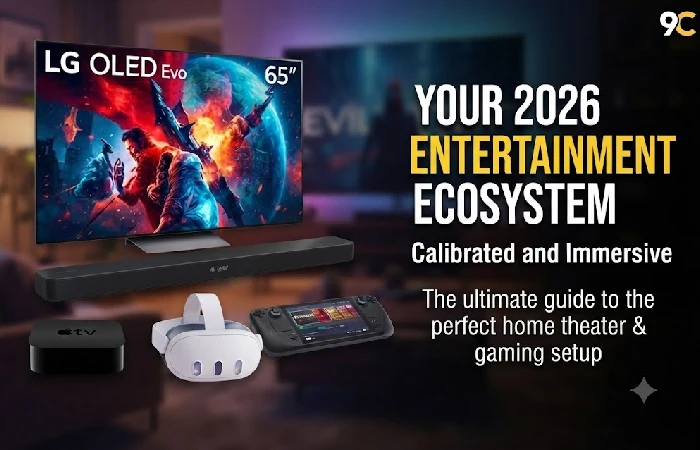
Most of these gadgets will still work in five years, quietly obsolete in a drawer next to a charger that fits nothing else. That’s not a reason to skip buying. It’s a reason to buy in order.
Skip the sequence, and a $1,300 soundbar ends up plugged into a TV that can’t even pass the signal it needs.
One opinion most gadget guides won’t give you: audio matters more than display for most people, and almost nobody upgrades it first.
