Published: July 30, 2026
Last Updated: August 24, 2026
When shopping for a smart home hub in 2026, your decision-making process will involve answering three different questions simultaneously: what physical hub hardware to purchase, what voice assistant ecosystem to use as a foundation, and if the Matter specification influences either choice. Most buying guides will focus on just one of these questions. I will cover all three questions in this guide, beginning with assessing if a hub is necessary.
“A smart home hub is the central device that lets voice assistants, sensors, and connected gadgets from different brands communicate and respond to a single set of commands.”
Quick answer: Pick a hub that matches the voice assistant you already use, confirm it supports Matter for cross-brand devices, and budget $50–$250 depending on how many protocols you need.
What smart home hubs and voice assistants actually do
When we discuss a smart home hub and a voice assistant, they are often conflated; however, they each have a separate function. The hub is the device that communicates directly with the other devices, and it ‘speaks’ whatever protocol the device uses — Zigbee, Z-Wave, Thread, or Wi-Fi — and translates the command into something the device can comprehend. The voice assistant is the one you’re talking to; it takes in a wake word, interprets the desired action, and communicates the desired task to the hub or cloud service.
Many products do lump both of these roles together into a single package. An Amazon Echo, a Google Nest Hub, an Apple HomePod — these all just roll the listening element into the controlling element in a single device, so it’s no surprise that few people ever really consider them to be different things. But a simple Echo Dot, for example, can run the Alexa voice service and can control Matter or Wi-Fi devices, but it doesn’t include a Zigbee or Z-Wave radio anywhere, so while it’s a voice-activated assistant with limited hub functionality, it’s not a proper hub device. The importance of separating these concepts is primarily in understanding where the fault may be when a device simply won’t join a network: don’t assume it’s the voice assistant not comprehending what you’re telling it to do — sometimes it’s that the hub isn’t speaking the same language as your device.
Do you actually need a smart home hub in 2026?
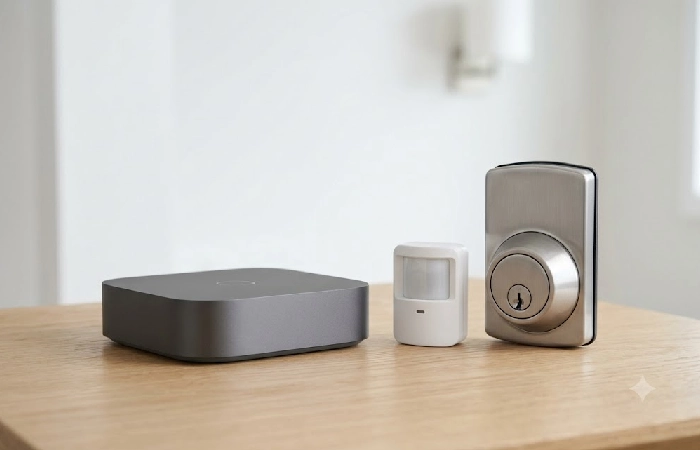
You need a hub once you’ve got more than a few smart devices, or any non-Wi-Fi-only device. Motion sensors, battery-powered locks and most robot vacuums all tend to use Zigbee, Z-Wave or Thread rather than your house’s Wi-Fi, and those protocols all need a hub to turn them into something your phone or voice assistant can work with. One smart bulb or plug generally works over Wi-Fi without one. It’s the integration of multiple platforms, and/or the addition of devices that aren’t Wi-Fi, that determines when a hub is necessary — the point at which you need one is the point where you’re not gonna be able to keep track of everything across four different apps.
What is the Matter standard, and why it changes the hub decision
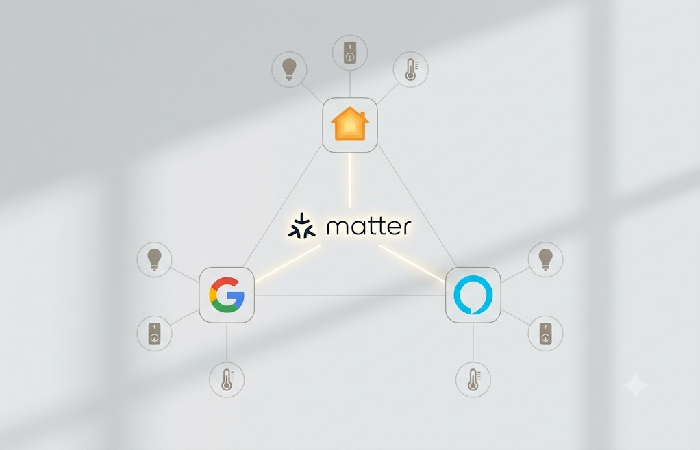
Why does Matter matter? Because it means you no longer have to decide on one ecosystem before you buy anything. The Connectivity Standards Alliance owns the matter specification, and manages ongoing development, product certification, and marketing, as summarized in the Alliance’s own description of its role. It keeps the gadget ecosystem from being locked to any one of Amazon, Google, or Apple — it’s a shared standard, and open support for it is built into all three. In practice, this means a matter-certified device today should still be working with whatever controller you buy after that, without starting from scratch again.
Is your smart home actually more secure with Matter?
A NIST researcher who studies real-world consumer behavior with smart home products found that consumers keep using connected products despite legitimate security and privacy concerns about doing so, a pattern the NIST cybersecurity research team has published extensively. Matter’s local-first design directly addresses that concern: voice commands, for example, can remain local to one’s home network instead of going through a manufacturer’s cloud service each time one checks a motion sensor or locks a door.
How Matter differs from Thread and Zigbee
Matter isn’t a radio as in, a way for devices to talk; it’s what language occurs over once the radios are already talking. Thread and Zigbee are radios; Matter is the common language that allows, say, a lock on Thread to talk to a Wi-Fi plug, and vice versa.
Is Matter 1.6 worth waiting for?
No to most customers. Devices certified to earlier Matter versions still work to the standard updates and Matter is backwards-compatible, so there’s no need to wait on a newer spec number to appear on a box.
Wi-Fi, Zigbee, Z-Wave, and Thread: how the protocols actually differ
Most of it is about Matter these days, but Matter is built on top of old protocols that are still executing most of the work. Everyone already has Wi-Fi, which is okay for a plugged-in device like a webcam but drains batteries fast, so it’s a poor fit for anything running on a coin cell.
Zigbee and Z-Wave were designed for precisely that purpose. Both are low-power mesh networks designed for sensors, locks and switches that require years of battery life. Neither is trying to take the bandwidth away from your Wi-Fi, and that is also part of the reason they remained popular. The difficult part about each is they require a separate radio to communicate on, so a device using Z-Wave can’t just join your Wi-Fi network on its own — it needs a hub that understands Z-Wave specifically.
However, Thread is newer and more connected to Matter. It operates on the same frequency as Zigbee, but utilizes modern self-healing routing, allowing the network to adapt to the removal of a device within the mesh rather than failing entirely. Many battery powered Matter devices are threaded for that reason.
None of this implies that you should remember what protocol is “better,” merely that it is the choice of hub that will make a difference, not which voice assistant is paired to it. A hub that only understands Wi-Fi and Matter leaves your Zigbee motion detector dead in the water, no matter how good the voice assistant sitting next to it is.
Best smart home hubs of 2026, compared
The picks below are a “best for” selection, not a ranking of the hubs from best to worst. Your best choice depends on which ecosystem you’re already invested in: more testing notes and setup walkthroughs on each one.
| Hub |
Best for |
Strengths |
Trade-offs |
| Aqara Hub M3 |
Cross-platform Matter bridging |
Works with Apple Home, Google Home, and Alexa the same day you set it up; built-in Thread border router and Zigbee 3.0 radio |
Third-party gear like Philips Hue needs its own Matter bridge rather than routing through the M3’s Zigbee radio |
| Samsung SmartThings Station |
Beginners, especially Samsung/Android households |
Broadest legacy-radio coverage among mainstream hubs; fast initial setup |
Less polished when used outside the Samsung ecosystem |
| Amazon Echo Hub |
Alexa-first homes |
Wall-mounted touchscreen dashboard; strong Ring integration |
Weaker native support for Apple and Google devices |
| Apple Home (HomePod mini) |
Apple households prioritizing privacy |
Native HomeKit integration; privacy-oriented design |
Narrower device compatibility outside Matter-certified gear |
| Home Assistant Green / Homey Pro |
Power users with mixed or legacy devices |
Homey Pro covers seven wireless protocols, including infrared and 433 MHz RF, in one box; strong local-first control |
Steeper setup learning curve; Homey Pro carries a higher price point |
Aqara Hub M3 — best for cross-platform Matter bridging
The M3 is the choice if you want a device that doesn’t lock you down to one ecosystem. The M3 supports its connected accessories on Apple Home, Google Home and Alexa at the same time over Matter, and setup only requires plugging it in and scanning a QR code.
Samsung SmartThings Station — best for beginners
SmartThings supports more legacy radio protocols by default than most competitors so it’s less fussy for a first-time buyer who doesn’t have a portfolio of devices in mind.
Amazon Echo Hub — best for Alexa-first homes
If Alexa is already your default voice assistant, the Echo Hub includes a dedicated touchscreen for cameras, locks, and Ring devices that works within the Alexa app.
Apple Home (HomePod mini) — best for Apple households
For households deep in Apple’s ecosystem, HomePod mini keeps management native to HomeKit with a focus on privacy — the trade-off is a narrower device library outside of what’s Matter Certified.
Home Assistant Green / Homey Pro — best for power users
All of those things are possibilities for the house where you have a combination of old gear, new gear an IR-controlled AV receiver, Z-Wave locks left by the previous owner, and aging IKEA sensors. The Homey Pro can bring it all together in just one app instead of three.
Alexa vs Google Assistant: which voice assistant fits your hub?
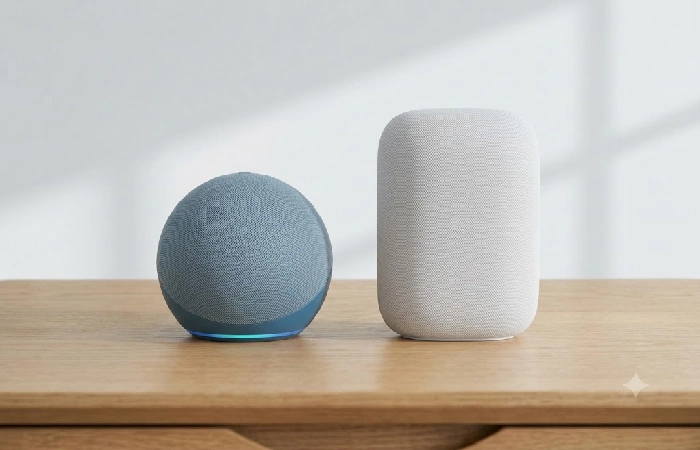
Your hub selection and your voice assistant selection aren’t correlated as tightly as the previous heading makes it seem, but choosing one limits your options for the other. Alexa‘s skill list may be more comprehensive in terms of the number of devices it supports, and its unofficial third-party skill catalog would be better if you have a vast mosaic of low-cost smart plugs and obscure sensors, but Google Assistant is generally more flexible in the way it interprets natural language conversational questions, and offers tighter integration if your household already runs on Android phones and relies on Google Calendar as your de facto productivity tool. Both systems achieve accuracy in interpreting your commands roughly equally; you just need to decide which phone OS, and which already-known smart devices, your future smart home will run on, because when you switch between them later, you’ll have to re-pair every single one.
If you’re starting completely fresh with no equipment, lean toward whichever assistant fits the phone you already carry: iPhone families will want the best Apple Home or a Matter-neutral hub such as the Aqara M3, Android families will want to get started on Google Assistant, while anyone already invested in a few Echo would have little incentive to switch. For a complete rundown of skills and smart-display/ multi-room audio options.
How to choose a smart home controller: a simple decision framework
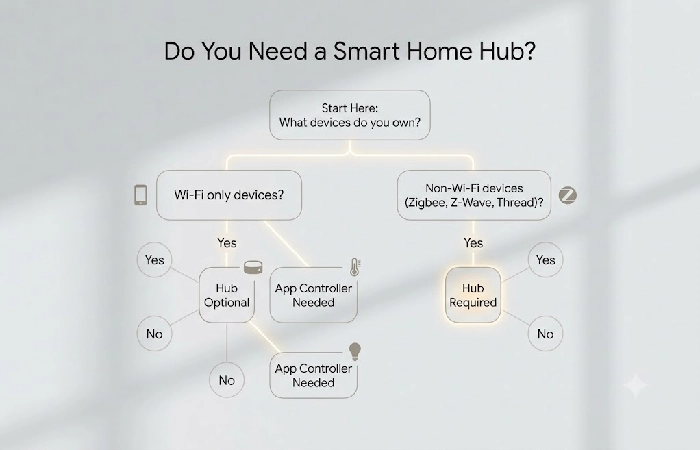
The terms “hub” and “controller” often used interchangeably but they are not quite the same. A controller is a device or an application that gives commands (your phone, a smart speaker, a panel on a wall, etc.) while the hub is the device that connects the various radio protocols so those controllers can talk to devices that are not on Wi-Fi. You may already have a controller (your phone) and not have a hub yet; the choice is fairly simple: if all your current devices and all the ones you want to buy are on Wi-Fi only, you can probably get away without a dedicated hub and only need a controller application. The second you bring home a Zigbee, Z-Wave or Thread device a hub is required no matter which controller you want to use.
What a smart home hub costs in 2026
Most hubs go between $50 and $250, with most trustworthy choices hovering around the $100 mark. This price range generally offers the same basic features as more expensive hubs, without the added cost of supporting specialized protocols most households will never need. (Power-user hubs like the Homey Pro sit near the top of this range, because they support additional wireless protocols within a single device; single-ecosystem solutions like a HomePod mini or Echo Hub tend to fall toward the middle of this range once you include its dual function as a smart speaker; and the least expensive end of this spectrum is usually satisfactory if your device count is small and remains within a single ecosystem price only increases if you need broad protocol support or cross-platform Matter support.)
FAQ
1. Do I need a smart home hub?
You might require one when you arrive at the point where you own a device that communicates over Zigbee, Z-Wave, or Thread rather than Wi-fi, or simply when you want two different voice assistant ecosystems to be able to control the same device. Generally, a handful of Wi-fi-only smart plugs or bulbs don’t require a hub.
2. What is the Matter standard and do I need it?
Matter is a common connectivity standard, owned and developed under the Connectivity Standards Alliance, that lets certified devices operate universally across the phone makers’ platforms without needing a separate app for each one. t is not mandatory, but purchasing Matter-certified devices from now on means you won’t be forced into one manufacturer’s ecosystem in the future.
3. Alexa vs Google Assistant which is better?
However, neither one is necessarily “better”. Generally speaking, Alexa offers superior third party device compatibility, whereas Google Assistant is more efficient at processing natural conversational commands and also more tightly integrated with Android handsets. Which one will serve you better really comes down to what handset OS and devices you already own.
4. Is Thread the same as Matter?
No. Thread is a low-power wireless radio standard used by battery-powered devices such as sensors and locks, but Matter is an application-layer standard that specifies how devices communicate once connected, whether it’s over Thread, Wi-Fi, or Ethernet.
5. What’s the difference between a smart home hub and a smart speaker?
A smart speaker is a voice-commanded device that will make requests. A hub is the device that provides the connection for non-Wi-Fi protocols such as Zigbee or Z- Wave so that those commands aren’t stuck going to devices that aren’t connected directly to your home Wi-Fi. Lots of products, like the Amazon Echo, do both at the same time.
6. Are older Zigbee/Z-Wave devices still worth buying in 2026?
Yes, for the most part Zigbee and Z-Wave still well supported by current hubs, and many Matter-certified hubs still help bridge these older protocols, rather than replacing them. The main compromise is that legacy devices will not have Matter’s cross-platform advantages unless the hub provides the bridging.
Where to start
If you’re still trying to choose among all of it, trim down to one hub that supports the voice assistant you already use, add two or three devices, and see how that holds up for a couple of weeks. The platform discussions and protocol battles don’t matter as much when you’re actually using the thing — what matters is whether the porchlight turns on when you walk up, and whether it still works the next time the internet drops out for an hour.
