Published: July 29, 2026
Last Updated: July 29, 2026
The Real Difference Between Smart and Traditional Locks
A smart lock is controlled through a PIN, fingerprint, or mobile app. A regular lock is simply controlled by a key and cylinder, no electronics involved. Yeah, but this doesn’t quite capture the full scope of the changes: who is allowed in, how you learn about it, and what you do when the battery dies or the wifi drops out.
A smart lock uses a PIN code, fingerprint, or smartphone app to control entry instead of a physical key, while a traditional lock relies entirely on a mechanical key and cylinder with no electronics involved.
Neither is assuredly the safer option, the difference being a certification that most buyers will not bother to verify.
Approximately 11% of online households in the United States currently have a smart lock as per Parks Associates’ publications from March 2026. The trend for use is still clearly a minority one, however; this means that consumers purchasing a smart lock are still largely starting from a blank slate (rather than upgrading). The information in this section comes from published manufacturer specifications, existing ANSI/BHMA testing standards, and regulatory research, so treat model numbers as a starting point for your own comparison.
Quick explanation: smart locks bring remote access and temporary codes, but traditional (cheap) locks are better on cost and require no maintenance. Grading matters more than the label.
How Each Type Actually Works
The standard lock. Traditional locks use a pin tumbler. You put in the right key and the pins turn inside the cylinder such that the bolts turn. There is no power, solar or otherwise. Nothing outside the door is necessary. It performs identically in a power outage and on a bright sunny day.
Smart locks replace or are used in addition to that with some kind of digital authentication. Something reads a PIN on a keypad, a sensor reads your fingerprint, or your phone communicates with the lock via Bluetooth or wifi. Most smart locks still use a physical bolt to do the actual locking, so the mechanical strength under the electronics matters just as much as it does on a traditional lock.
Security Comparison: What the Grading Actually Tells You
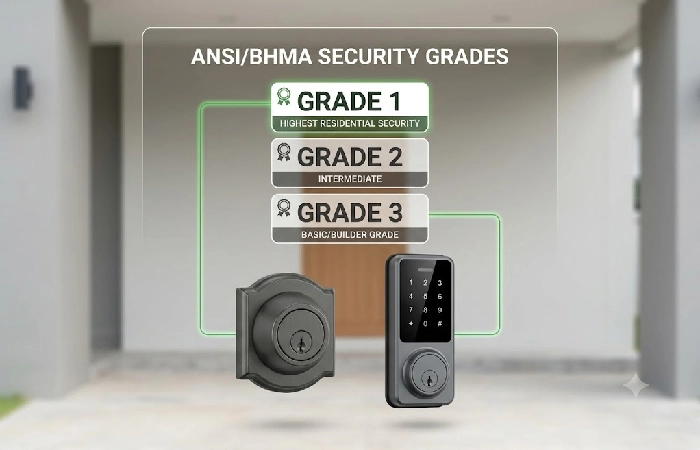
Most of the comparisons end at features. However, the only comparison that is really important is the ANSI/ BHMA security grade and few, if any, check that before buying either lock.
At the ANSI and BHMA grades, locks are tested together on cycle counts, impact resistance, and pull strength and are given a grade between 1 and 3. A grade 1 lock is the hardest to look at and is the sort designed for heavy-traffic commercial doors. Professionals actually consider a grade 2 lock sort of the minimum recommended for exterior doors on a house. Mechanically, a grade 3 lock is what consumer smart locks usually ship with, even if they have fingerprint scanners and wifi configurators. A No-Name traditional deadbolt and a $249 smart lock could both be sold with Grade 3 hardware, (which is still a high level of physical security) meaning that smart features are cheap, light, beautiful convenience, not automatically better protection.
It’s where smart locks actually do something a deadbolt can’t: send a text when a door is opened; make a code that lets a plumber in only once; take a key away from a manager without changing the lock. In 2020, the FTC agreed to a settlement with Tapplock, a maker of smart locks, after the company ran an ad claiming the lock was “unbreakable,” when hackers opened a Tapplock in seconds by unscrewing the back panel. It is not time to throw smart locks in the trash; it’s time for marketers to be honest, and for consumers to become smart consumers.
Real Cost Comparison
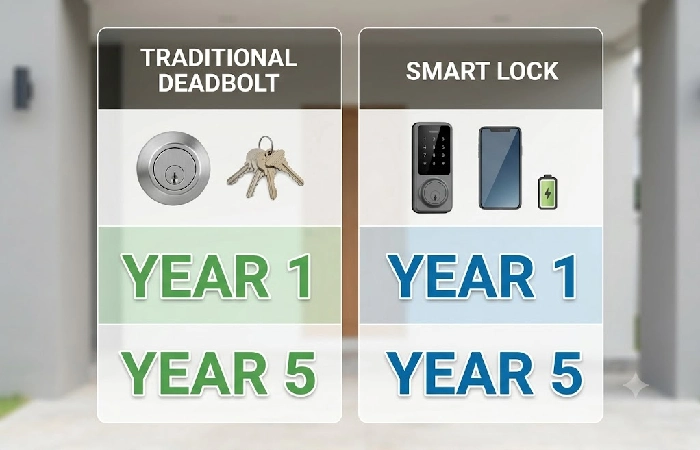
It‘s about $40 to $100 for a basic Grade 2 or 3 conventional deadbolt, with another $50-$150 for installation, depending on your location and if new hardware is required for the door. Cost usually ends up under $250 with no additional costs involved.
Smart locks range from approximately $80 for a keypad-only model and well over $300 for models with fingerprint reading, video, and/or Matter/Thread hubs. Many are designed to universally fit common deadbolt holes, and are DIY though a full look at labor and hardware requirements may be worth reading if considering the cost and effort of installation before purchase. Keep in mind additional periodic costs: fresh batteries (every 6 to 12 months in most models), and an optional subscription in some of their cases for an extended event history, though all 2026 iterations keep their main features free.
|
Traditional lock |
Smart lock |
| Typical cost (incl. install) |
$90–$250 |
$150–$450+ |
| Power required |
None |
Battery, usually 6-12 months |
| Remote access |
No |
Yes, on wifi-connected models |
| Temporary or expiring access codes |
No |
Yes |
| Entry log or notifications |
No |
Yes |
| Works during a power outage |
Yes |
Yes, if battery has charge |
| Typical mechanical grade |
Grade 2-3 |
Grade 3 on most consumer models |
| Ongoing maintenance |
Minimal |
Battery swaps, occasional firmware updates |
What Happens When Things Go Wrong
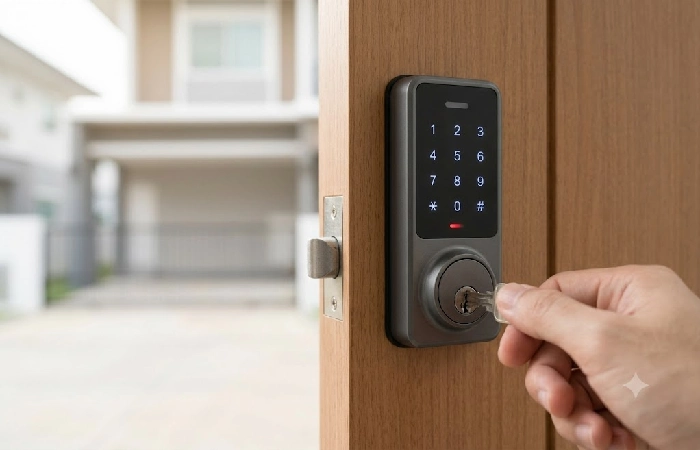
A dead battery on a smart lock is not the same as a power outage. In nearly every residential smart lock, your lock runs on its own batteries, so it will continue working in the event of a blackout. The actual failure point is when the battery dies and there is no backup in place (which is why good smart locks include a physical key override, an external 9V contact for an emergency jump start, or both). Look for one before you buy, as the baseline guidance by the NIST for consumer IoT devices suggests that manufacturers should build in a resilient recovery path for exactly this situation.
A lost wifi doesn‘t matter as much as some might think. Nearly all smart locks are still accessible locally via their keypad, fingerprint scanner, or Bluetooth regardless of whether or not you’ve got internet. It’s the wifi that you use for remotely unlocking or notifications that will disappear… not your front door.
Conventional locks also have their own failed states. There’s no way to disable a key that might be lying around after a move or a breakup. If it’s lost, you get a locksmith over or have the locks rekeyed.
Does It Affect Your Insurance?
That is totally at the discretion of the insurance company you are covered through so a direct phone call is worth more than any generic answer here. A few insurance companies base their premium calculation on ANSI/BHMA rated hardware, however only a handful explicitly point to deadbolt ratings of exterior doors. It is the certification you are after here, not whether the lock is labeled smart or not. Don’t jump to conclusions that smart would be given a discount, and traditional would not.
Which One Should You Choose
If you rent or regularly provide access to your place (roommates, cleaning crews, short-term visitors), an expiring code feature on a smart lock is a godsend. Nothing beats a Grade 1 or Grade 2 mechanical deadbolt from a reputable manufacturer for complete physical security, with no ongoing energy or maintenance costs, and combining this with a smart lock for secondary coverage is a fairly popular compromise. Landlords with multiple properties love the ability to instantly revoke access remotely instead of rekeying. If you’re comfortable never sticking your hand in a battery compartment or remembering to click on a login, go old school. There is no wrong answer, only situation-specific considerations.
For many single-family inhabitants, the best option is the convenience of a Grade 2 smart deadbolt from a reputable maker with built-in physical key backup to supply the ease of use even when the tech does fall short. If you have a specific model in mind, our August smart lock test explains how one of the most frequently recommended options manages those dilemmas, and where it stands in the broader universe of connected smart security worth understanding.
FAQ
1. Are smart locks safer than traditional locks?
Nothing is inherently “safer” or “better” if a lock falls into one of the two categories, it’s just a matter of the specific lock’s build quality, not the grouping. A Grade 1 mechanical deadbolt will probably hold up in an attack longer than a cheap smart lock and a high quality smart lock closes gaps that traditional locks simply can’t touch, providing details like exactly who entered and when.
2. What are the disadvantages of smart locks?
Battery dependence is also the biggest one, along with higher initial cost and setup that generally consists of an app and a home network. Cheaper models may also have many real wireless weaknesses, which is why it is more important to check a lock’s security certification than to check its feature list.
3. Do smart locks work during power outages?
Yes. Nearly all residential smart locks won’t lock you out because they use batteries (not house electricity). The only lock that could potentially lock you out is if you have empty batteries and no backup keys or dial-in code.
4. Should I replace my traditional lock with a smart lock?
It really comes down to how one values the tradeoff between convenience and reliability over time. Household residents who frequently allow guests or delivery service to enter will benefit most from a smart lock; those who want a deadbolt that is reliable and low maintenance will often be well served by a mechanical deadbolt.
5. Are traditional locks still reliable for home security?
Yes. When correctly installed and adjusted, a good quality mechanical deadbolt is still one of the most dependable security devices on the market and requires little or no maintenance past intermittent lubrication.
6. Can I combine a smart lock with a traditional key backup?
Yes and most locksmiths would say so. The vast majority of smart deadbolts come with a deadbolt key cylinder designed as a backup in case of dead batteries or app failure so you won’t be locked out.
7. Which is safer for a rental or apartment?
Renters would tend to benefit even more from a smart lock, probably because of one-time-use access codes that automatically expire so you do not need to rekey when the next roommate leaves.
8. Do smart locks affect home insurance?
Different insurers work differently, so contacting your insurer directly may be a better bet than assuming one way or the other. Some insurers do take ANSI/BHMA approved hardware into consideration when calculating premiums but as with most insurance decisions it isn’t the label as such that counts but the certification being recognized.
