Published: July 28, 2026
Last Updated: September 18, 2026
Wireless domestic alarm systems have quickly become the convention for the majority of homeowners and tenants alike, and there really isn’t any competition. No electrician, no piercing into your walls, and you can take the kit with you when you move. However the term “wireless” is thrown about in aggressive marketing to obscure substantial differences between systems, and the choice of the wrong system will often show up as dead zones, unforeseen fees, or an alarm ceasing function immediately after loss of internet connection. This article covers what “wireless” actually includes, where wireless systems fit in the market in comparison to wired and professionally installed alarm systems as part of an overall Smart Security solution, in addition to sorting through the confusing mix of “no contract,” “self-monitored,” and “no monthly fee” claims you’ll run into while shopping
Quick answer: Wireless alarm systems do not use wiring between alarm components but do use battery sensors and RF / Wi-Fi. The following explains how they work and how to select one.
Definition: A wireless home alarm system consists of battery operated door and window sensors, which also include motion detectors. The wireless sensors are connected to a main control panel via Wi-Fi or radio frequency, so the system does not require the wiring present in many hardwired systems.
How Wireless Home Alarm Systems Actually Work
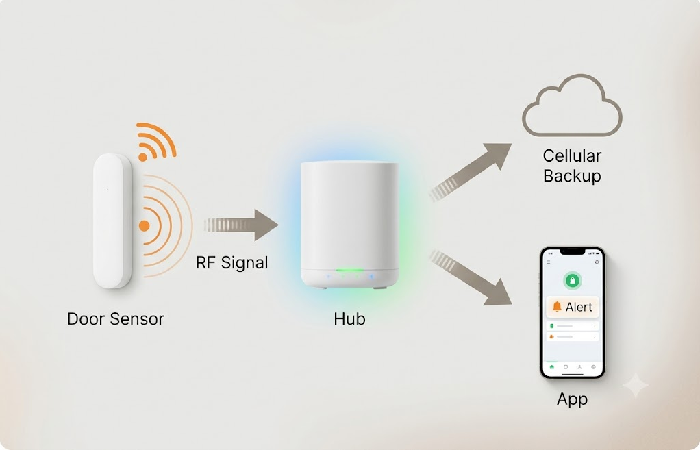
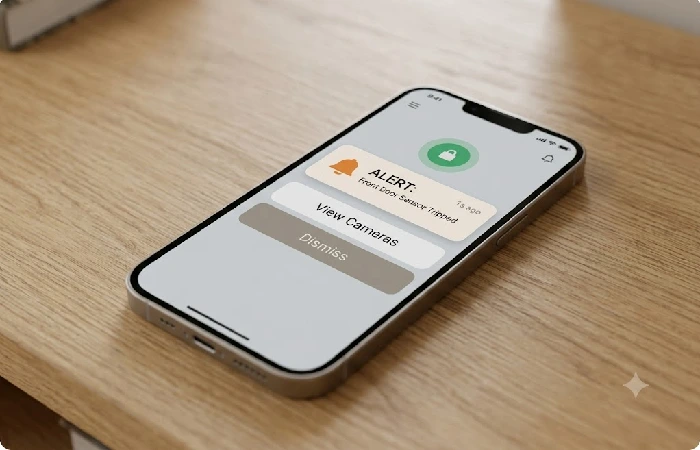
Wireless home alarm system: battery operated home alarm sensors (door, window, motion) silently send signals to a unit (hub) over a radio frequency or Wi-Fi, instead of over cabling. The sensors do not need to run wires back from each individual sensor to a control panel, but instead they communicate with a common radio frequency (RF) over the 2.4GHz unlicensed radio frequency band that Wi-Fi routers, Bluetooth devices and even garage door openers use. When a sensor trips it sends the signal to the hub in just a fraction of a second, and the hub determines what happens next: sounds a local siren or pushes a notification to your phone or, if you’ve added monitoring, alerts a call center.
Almost all of the hubs connect to the internet over Wi-Fi, which allows the system to be enabled, disabled, and monitored remotely through the companion app. The best systems also have a cellular backup radio, so that even when the Wi-Fi or power is down, the hub is still talking to the outside world over the cell network and will continue to send alerts. Sensors and hubs usually operate on rechargeable batteries or easily replaced batteries rated for 12-24 months, and the hub has a backup battery rated for about 12-24 hours of run-time when power fails. That mixture of battery-powered sensors, a hub with cellular backup, and a battery in the hub is what makes wireless systems dependable, not just convenient.
Wireless vs. Wired vs. Professionally Installed: What’s the Real Difference
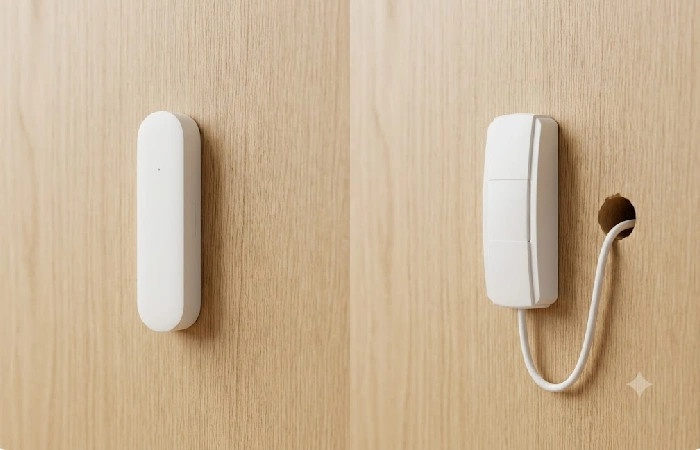
Wired systems connect to through physical cable from each sensor to a control panel. They are more difficult to sabotage, but are more difficult to install, and are not ideal for rental properties or moving situations. Wireless systems forgo some degree of tamper-resistance for the convenience of quick sensor repositioning and mobility.
Professionally installed doesn’t necessarily equate to wired anymore. Businesses like Vivint sell hybrid systems with wireless sensors but will also have a technician come out and install and program the system for you. The debate has become less about wireless vs. Wired and more about DIY vs. Professional install and each company will have wireless equipment on different sides of that line.
No Contract, Self-Monitored, and No Monthly Fee Aren’t the Same Thing
These three terms are used pretty interchangeably in marketing copy, and they shouldn’t. They aren’t concerned with the same thing.
No contract means you’re not committed to a multi-year deal, and you can cancel or downgrade your monitoring plan without penalty. It does not tell you whether the system will actually cost you anything day to day; it is useful to note that if you sign a no-contract alarm system deal in your home as opposed to in store, FTC rules provide a three business day right of cancellation regardless of what a salesperson has said to you in person.
Self-monitored means no call center is monitoring your alarms. The alert goes to your cell, and you choose to either call 9-1-1 or look at a camera feed. A handful of brands offer a permanent, free, self-monitored alarm system.
No monthly fee means exactly that: no recurring cost, ever. It often goes hand in hand with self-monitoring, but check all the same “no monthly fee” devices still sometimes require a subscribing account if you want things like recording video, more than 100 events to be saved, etc. In practice, if avoiding a subscription entirely is your priority, look specifically for systems that confirm self-monitoring is free and permanent, not just “no contract,” which can still mean a recurring bill.
What to Look For — Range, Battery Backup, and App Control
Range of sensors is frequently ignored in most purchase guides, but it is far more important than what manufacturers claim. A sensor may have a range of 200–500 feet in the open air, but this quickly drops significantly when there are concrete walls, large appliances, or multiple stories between a sensor and its hub. For everything except a small apartment, put the hub in the middle of the building instead of near an outside wall, and be prepared to experiment with how the sensors are placed before mounting them.
Battery backup is the other feature that you should verify explicitly rather than assume. Find out if there’s a listed hub backup runtime (typically 12 to 24 hours) and make sure the system contains cellular backup rather than just Wi-Fi, as a system that goes silent as soon as your router loses power is not safeguarding you in the moments when you need it most.
App control depth is more inconsistent than you might think. Simple arm and disarm is typical across the board, but if you want geofencing, arming on a schedule, and separate guest codes, you’ll need to do your homework to check the app and home automation platform you’re considering can do all of that.
Installing a Wireless Alarm System Yourself
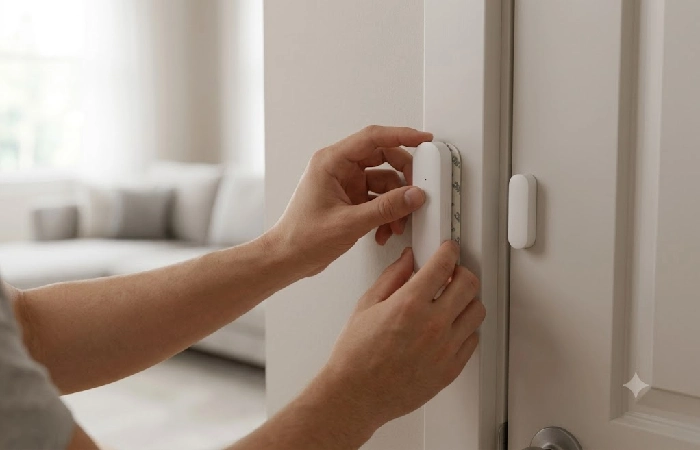
Most wireless kits are intended for a proper DIY installation. Sensors stick on with pads or the two screws provided, connect to the central unit through the app using a QR code or serial number and, depending on how complex a home setup is, it can all be done in less than an hour, once the central unit is online. The most common error is connecting the central unit to a 5GHz signal on a Wi-Fi router when it should be on 2.4GHZ, so check that your router is broadcasting a 2.4GHz band before you start.
FAQ
1. Are wireless alarm systems any good?
Yes for most homes. These days with encrypted RF communication and a cellular backup the “wireless is less reliable” reputation has largely been abolished. The greater reliability issue these days is brand and installer, not the wireless system.
2. Can a wireless alarm system be hacked?
This is technically possible but extremely rare with good brands as most encrypt sensor to hub communication and require app-level login credentials. The main risk is having an insecure Wi-Fi router password or re-using login credentials not the alarm system’s radio.
3. Do wireless alarm systems need Wi-Fi?
Not necessarily. Most hubs connect via Wi-Fi for app control, and many also include cellular backup so the system keeps working if your internet goes down.
4. What is the best wireless alarm system without monthly fees?
These systems include Abode and SimpliSafe allow for free self-monitoring forever with app notifications and a local siren and need to be paid for only if you decide to install professional monitoring.
5. How far does a wireless alarm system range?
Most sensors communicate reliably with the hub up to 200 to 500 feet in open space, but concrete walls, metal appliances, and multiple floors cut that down significantly.
6. Do wireless alarms work without power?
Absolutely if they built it right! The hub and detectors have Backup batteries that will last generally from 12 to 24 hours, so one power outage won’t turn off your security.
7. Can I install a wireless alarm system myself?
That’s the big selling point. Most of the kits are peel and stick or screw-in sensors that connect to the hub using an app. There is no need for an electrician or wiring, and installing in most normal homes is less than an hour.
8. Is a wireless or wired alarm system better?
Wireless works better if you are renting or doing it yourself, if you need the ability to relocate sensors, or if you need a portable system. Wired systems tend to be more resistant to tampering but they need expensive professional installation and are not realistic for most homeowners today.
