Published: July 20, 2026
Last Updated: August 31, 2026
You’re staring down maybe 400 options for phone chargers alone, and that’s before you even get to cases or earbuds. This guide skips the noise. Twenty-five picks that actually earn their spot in your bag, a three-question filter to run before you buy anything, and honest trade-offs priced in both dollars and rupees.
The global mobile accessories market hit $113.19 billion in 2026, growing at nearly 8% a year. More brands enter every quarter, which sounds like more choice but mostly just means more confusion at checkout. A recent YouGov survey of 1,104 American adults found that 68% use a phone cover, 46% use screen protectors, and 44% use Bluetooth earbuds — which tells you something interesting. Most people already own the basics. The problem isn’t awareness. It’s picking gear that doesn’t overheat, peel, or die in three months.
This isn’t a catalog. Every category below gets a budget breakdown, a specific product to actually buy, and a “Skip This If” box telling you exactly when to save your money. Run the three-question check first. Then pick categories based on your life, not on what’s trending. You’ll spend less and end up with things you actually use.
Quick answer: Skip the accessory with the most features on the box. The ones actually worth buying solve one specific friction you deal with daily — a phone that dies by dinner, a screen protector you keep meaning to replace, commute audio that’s been “fine” for too long. Twenty-five picks, eight categories, pricing in both dollars and rupees — that’s the shape of this guide. Run the three-question compatibility check before you touch a product page, then buy what actually fits your life. Skip whatever doesn’t.
Definition
Charging gear, cases, earbuds — anything that clips onto or plugs into your phone counts. What separates the useful stuff is standards like Qi2 and MagSafe, which keep gear working across brands instead of trapping you in one ecosystem. Commuters chase different accessories than gamers or remote workers do, but they’re all solving the same problem: less friction, day to day.
How to Decide What You Actually Need
Three questions. Answer them honestly and you’ll filter out half of what’s below before you even hit a product page.
What’s your phone model and case thickness?
Qi2 and MagSafe aren’t interchangeable, no matter what marketing copy implies. iPhones 12 through 17 support MagSafe with precise magnet alignment baked in. Android phones might support Qi2, which gets you magnetic alignment but not the full wallet-and-mount ecosystem Apple controls. And if your case runs thicker than 2.3 millimeters, magnetic gear starts losing its grip — check that spec before you order anything magnetic.
What does your day actually look like?
Commuters need battery backup and noise isolation. Gamers want low latency and cooling. Creators need stabilization and external audio. Don’t fit neatly into one lane? Pick your top two priorities and stop.
Last one. What’s your real budget ceiling — not your aspirational one? That $15 no-name charger runs hotter, charges slower, and dies faster than a $35 Anker. Dropping $200 on earbuds for quiet-room podcast listening is just paying for features you’ll never touch. Set your per-category cap before you browse.
Can’t answer all three yet? Stop here and come back when you can. That drawer full of accessories used twice? Skipping this step is how it happens.
Wireless Chargers and Charging Stations
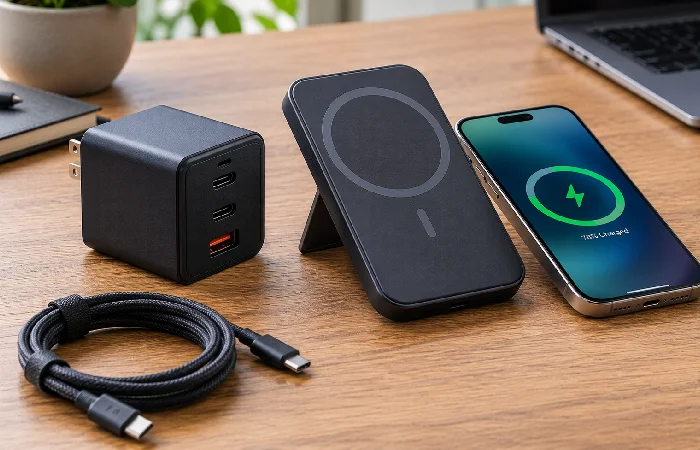
The big shift this year is Qi2.2 going mainstream — MagSafe-style magnetic alignment now works across both iPhone and Android, with speeds climbing to 25W. Sounds great on paper. Real-world speed depends on case thickness, cable quality, and active cooling — in practice, that’s what actually decides it.
Qi2.2 certification guarantees magnetic alignment and a baseline power profile. It does not guarantee your Android phone will play nice with MagSafe wallets or mounts — Apple still gatekeeps that authentication layer. Cross-platform magnetic charging? Qi2.2 delivers. iPhone still owns magnetic wallets and car mounts. That edge isn’t closing soon.
- Under $25 / ₹2,000: Anker 315 Wireless Charger (Qi2) — 15W, no frills, reliable. Good for a nightstand where speed doesn’t matter.
- Mid-range $25–60 / ₹2,000–5,000: ESR’s CryoBoost 3-in-1 Stand runs Qi2.2 with a built-in fan that holds peak speed longer than passive-cooled competitors. It charges phone, watch, and earbuds simultaneously. Skip it if you sleep next to your charger, though — that fan has a noticeable hum.
- Premium $60+ / ₹5,000+: Anker MagGo 3-in-1 Foldable Station — 25W Qi2.2, folds to deck-of-cards size, charges three devices. Best for travelers who want one charger for everything.
Skip this whole category if you need the fastest possible charge. Wired USB-C PD3.1 still beats the best wireless pad by 2–3x in real-world speed. Plugging in for twenty minutes before you head out the door? Wired wins every time, no contest.
Power Banks by Budget and Travel Pattern
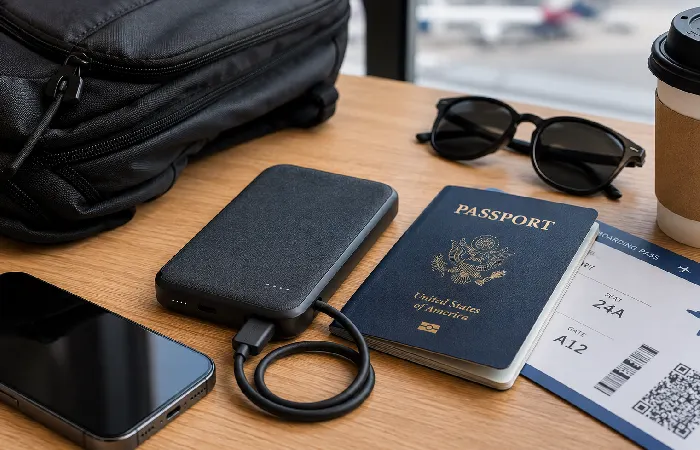
Battery anxiety hasn’t gone away in 2026. The fix isn’t just any bigger power bank — it’s picking the right portable travel charger for how you actually travel.
People trip on this constantly. TSA and FAA rules cap lithium-ion batteries at 100 watt-hours for carry-on, roughly 27,000mAh at standard voltage — most 20,000mAh banks clear it fine, but a 30,000mAh unit might not, and confiscation at security is a rough way to start a trip. Fly more than twice a year? 10,000mAh is the sweet spot: light, pocketable, good for two full phone charges.
Magnetic power banks snap right onto your phone, no dangling cables, and they look clean doing it. Thermal throttling ruins that though — a 10W magnetic bank often drops to 5W after twelve minutes, since passive cooling just can’t keep pace. Wired USB-C output stays steady the whole time. For reliability, wired wins outright. For short bursts of convenience, magnetic is fine — just don’t expect it to hold peak speed.
- Under $30 / ₹2,500: Baseus PicoGo AC22 — 45W, built-in cable, barely bigger than an AirPods case. Handles phones and some laptops.
- Mid-range $30–70 / ₹2,500–6,000: ESR’s MagSlim 10,000mAh does Qi2 at 25W wireless, comes in five colors, stays under 0.6 inches thick. Solid pick for commuters who want wireless without giving up TSA-friendly capacity.
- Premium $70+ / ₹6,000+: CUKTECH’s 20 Power Bank pushes 200W with 25,000mAh capacity and a digital display. Overkill for most people — but if you’re charging a laptop and phone at once, this is genuinely the one to get.
Fly frequently and already carry a laptop charger? Skip the big power bank. That 20,000mAh bank on top of a laptop brick? Redundant weight, hauled for nothing.
Earbuds for Calls, Music, and Gaming
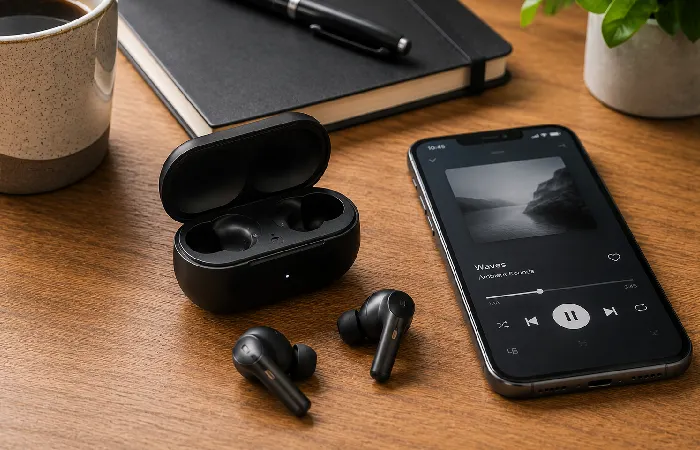
Earbuds in 2026 split three ways. ANC blocks outside noise. AI voice isolation changes how you sound to others. Low-latency cuts gaming lag. Conflating the first two is the mistake worth fixing early.
ANC on a good pair of noise cancelling travel headphones helps you hear music in a noisy cafe. Voice isolation helps whoever’s on the other end of your Zoom call hear you clearly. A pair of buds can have excellent ANC and mediocre voice isolation, or the reverse — they’re not the same technology solving the same problem. Gaming modes bolt on a dedicated radio protocol that cuts Bluetooth latency from around 200ms down to under 50ms. Matters a lot if you play competitive mobile games. Otherwise it’s a spec sheet flex that changes nothing about your experience.
- Under $40 / ₹3,500: SoundPEATS Air4 Pro gives you decent ANC and 26 hours of total battery over USB-C. The mic’s just average, but it’s fine for music and casual calls.
- Mid-range $40–100 / ₹3,500–8,500: Sony’s WF-1000XM5 leads the pack on ANC and voice isolation, with LDAC support for high-res audio. Fit is polarizing though — try before you commit, because these don’t work for every ear shape.
- Premium $100+ / ₹8,500+: Apple AirPods Pro 3 remain the best-in-class option for call clarity and seamless device switching if you’re already living in Apple’s ecosystem. Android users, look elsewhere — the integration advantage disappears entirely outside iOS.
Taking most of your calls in quiet rooms? Save your money. Basic ANC buds at half the price perform identically to premium ones when there’s no background noise to actually cancel out.
Cases and Screen Protectors
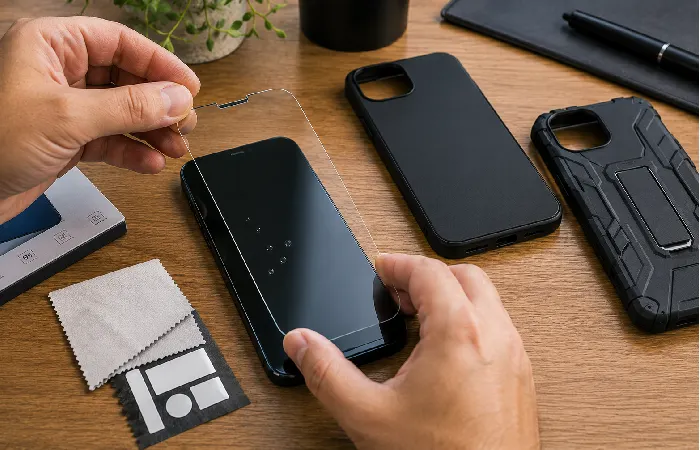
Cases aren’t just about surviving drops. A thick one can block GPS and cellular signal without you noticing why your maps app keeps lagging. A cheap protector distorts your display or traps dust under the edges within a week. Match protection to your actual risk — not to how anxious you are about dropping the thing.
TPU absorbs shock but yellows with time. Polycarbonate resists scratches, then cracks outright on a hard hit. Kevlar and aramid fiber cost more but deliver real drop protection without bulk. Silicone’s comfortable in hand — until it’s wet and slippery, or covered in lint. Work outdoors? Go textured TPU or Kevlar. Mostly in an office? A slim polycarbonate case does the job.
Case thickness near the antenna zone matters more than most people realize — cases running thicker than 2.3mm in the top corners can noticeably reduce GPS and cellular reception. If you rely on navigation regularly, keep things slim near where the antennas actually sit.
9H-rated tempered glass handles keys and coins without issue. What wears out is the oleophobic coating — roughly 500 wipe cycles in, and heavy users see smudges creep back within four to six months. Normal wear, not a defect. Replace once micro-scratches catch the light, not just when it looks dirty.
- Under $15 / ₹1,200: Spigen Liquid Air — slim, textured grip, precise cutouts. No MagSafe, so grab a magnetic ring if you need it.
- Mid-range $15–40 / ₹1,200–3,500: UAG Monarch Pro Kevlar — 25-foot drop rating, five layers, MagSafe compatible. Bulky, but slimmer cases just can’t match that protection.
- Premium $40+ / ₹3,500+: Pela’s Eco Case uses compostable bioplastic with decent shock absorption and full wireless charging compatibility. Less drop protection than Kevlar gives you, but if the environmental angle matters to you, that trade-off is real and worth making.
Running a thick wallet case? Skip it. Stuffing cards behind your phone adds bulk, blocks wireless charging outright, and can warp the phone over time. A slim case plus a separate MagSafe wallet solves the same problem without the downsides.
Photography and Video Accessories
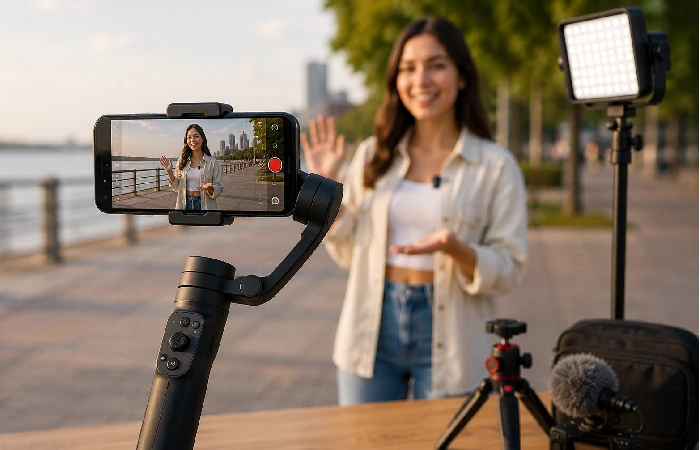
Smartphone cameras in 2026 are genuinely excellent, and for most people the stock camera app with native stabilization is plenty. If you shoot for work, or post to YouTube and TikTok on a regular schedule, external gear still earns its keep.
The DJI Osmo Mobile 7P runs ActiveTrack 7.0 through an independent AI module, meaning subject tracking works inside Instagram, TikTok, or your native camera app — you’re not locked into DJI’s own software to get the benefit. The built-in extension rod and tripod legs mean one device replaces three separate pieces of gear. If you film yourself walking and talking, this is the tool that actually solves that problem.
Computational photography handles most everyday situations now, but external glass still wins when you need true optical bokeh or anamorphic flares. Moment’s T-Series 1.55x Anamorphic Lens gives mobile video that cinematic letterbox look with organic blue flares — a niche tool, and if you don’t already know what anamorphic means, you probably don’t need it yet. A cheap clip-on LED light beats any lens you could buy for improving footage.
- Under $50 / ₹4,000: Ulanzi VL49 LED Light — rechargeable, dimmable, mounts on any phone or case. For creators starting out, better lighting beats a better lens every time.
- Mid-range $50–120 / ₹4,000–10,000: DJI Osmo Mobile 7P with ActiveTrack 7.0, extension rod, and tripod legs built in. The best all-in-one stabilizer on the market for mobile creators right now.
- Premium $120+ / ₹10,000+: Moment T-Series Anamorphic Lens requires their proprietary case to mount. Only worth it for creators chasing cinematic optical effects that software genuinely can’t replicate.
Only posting to Instagram Stories? Skip this section entirely. Native stabilization and editing tools already handle vertical short-form content well enough. If you’re going to spend on one thing, make it a light.
Gaming and Productivity Add-Ons
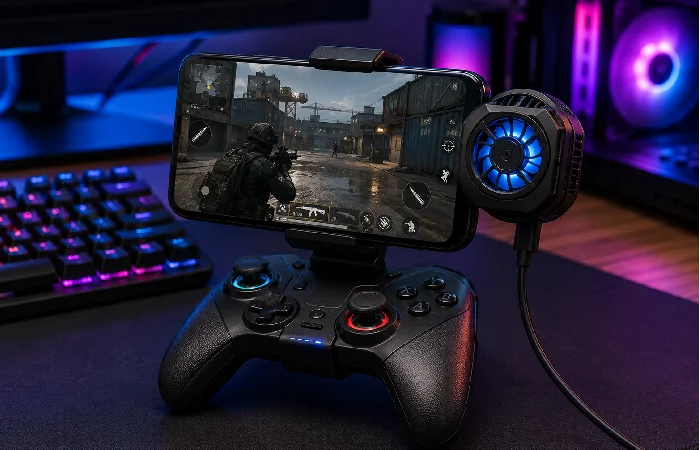
Mobile gaming stopped being casual-only a while back. Cloud gaming and competitive titles both demand hardware that keeps pace, and a lot of that same gear doubles up for remote work and document editing.
Backbone One and GameSir X5 Alteron are the two standouts this year. Backbone One’s pass-through charging stops battery drain during marathon sessions — a genuinely useful feature you’ll notice within the first long play. GameSir’s X5 Alteron takes the modular route — swap button layouts for GameCube, N64, or fighting-game setups, and it stretches wide enough for iPads and the Switch 2.
Pair a foldable Bluetooth keyboard with a clip-on mic like the Rode VideoMic GO II and your phone turns into a real portable workstation. Voice clarity in echo-prone rooms improves more from that mic than from any software noise suppression working alone.
- Under $35 / ₹3,000: GameSir X2s Type-C — budget controller, pass-through charging, zero Bluetooth latency since it’s wired. Solid start for casual mobile gaming.
- Mid-range $35–80 / ₹3,000–7,000: Backbone One — premium build, pass-through charging, tight app integration. Best pick for cloud gaming and extended sessions.
- Premium $80+ / ₹7,000+: Rode VideoMic GO II — clips on, TRS-to-USB-C adapter included. Ideal for remote workers and creators who need genuinely clean audio.
Play casually? A controller’s probably not worth it. Touch controls plus a decent phone grip handle most puzzle and turn-based games just fine. It only pays off if you’re deep into action, racing, or shooter titles for an hour-plus at a stretch.
Smart Tracking and Everyday Carry
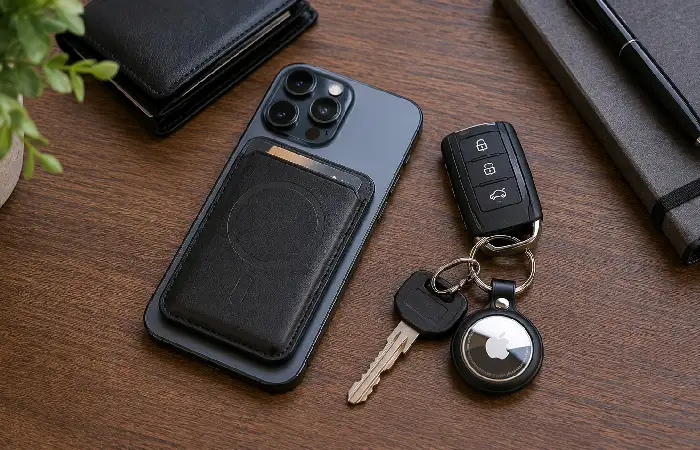
Losing your phone, your keys, or your bag is expensive and genuinely stressful, and Bluetooth trackers solve that — but the networks behind them aren’t all equal.
Apple AirTags run on ultra-wideband and the Find My network, locating items within about a meter indoors. That precision depends on other Apple devices being nearby, though. In an Android-only household, location updates drop off noticeably and you lose that fine-grained finding. Tile and Chipolo work fine across platforms but can’t match Apple’s crowd-sourced device density.
For wallets and stands specifically, MagSafe compatibility is the filter that matters most. A magnetic wallet that isn’t MagSafe-certified will slide, misalign, or just detach in your pocket at some point — it’s not a matter of if.
- Under $25 / ₹2,000: Tile Mate (2026) works cross-platform with a loud ring and replaceable battery. Solid for keys and bags in mixed-device households.
- Mid-range $25–60 / ₹2,000–5,000: Apple AirTag (4-pack) is the pick for iPhone users specifically, with precision finding and the densest crowd-sourced network around.
- Premium $60+ / ₹5,000+: MOFT’s MagSafe Tripod Wallet (2026) bundles Find My tracking, a tripod stand, a selfie grip, and wireless recharging into one accessory. Probably the most versatile MagSafe wallet on the market right now.
Already running a smartwatch with Find My or Find My Device built in? Skip a separate tracker on your keys — it’s redundant once your watch can already ping your phone and your phone can ping back.
Match Your Accessories to Your Actual Life
| Persona |
Must-Have Accessories |
Budget Range |
| The Daily Commuter |
Noise-canceling earbuds, 10,000mAh power bank, slim case |
$60–150 / ₹5,000–12,500 |
| The Frequent Flyer |
TSA-friendly 10,000mAh bank, multi-device GaN charger, tracker |
$80–180 / ₹7,000–15,000 |
| The Mobile Gamer |
Low-latency controller, cooling stand, fast charger |
$70–160 / ₹6,000–14,000 |
| The Content Creator |
Gimbal, clip-on LED light, external mic, fast charger |
$150–350 / ₹12,500–29,000 |
| The Remote Worker |
Foldable stand, Bluetooth keyboard, voice-isolating earbuds |
$90–200 / ₹7,500–17,000 |
| The Budget-Conscious Student |
Basic case, tempered glass, budget earbuds, 10,000mAh bank |
$40–90 / ₹3,500–7,500 |
Pick your persona first. Buy those categories before anything else. Add extras only once the essentials are covered and you’ve still got budget left.
Spotting Fake Certifications and Bad Gear
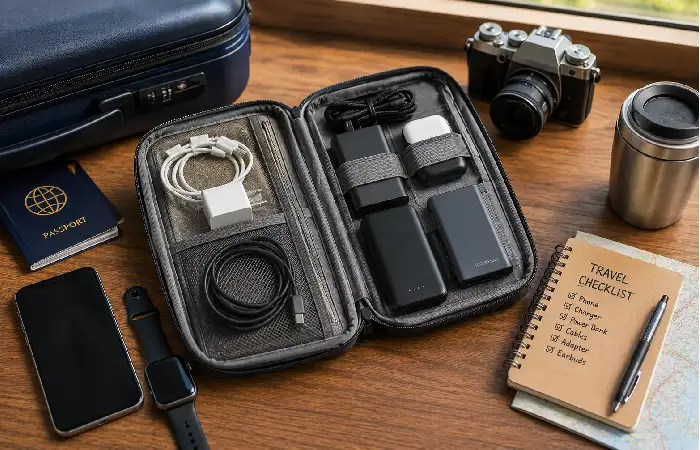
That $113 billion market figure cited earlier attracts a lot of counterfeit product along with the legitimate stuff. Here’s how to reject bad gear before it ever reaches your cart.
Watch for “universal” magnetic car mounts claiming compatibility with every phone and case out there — real MagSafe grip needs exact magnet placement, and universal rings rely on weak adhesive that fails the first time you hit a pothole. Screen protectors marketed as “self-healing” or “anti-blue light” without any ISO test report backing them up are making claims tempered glass simply can’t deliver; it doesn’t heal scratches, full stop. Power banks advertising “100W wireless output” are lying by definition, since Qi standards cap out at 15W. And any tracker or charger missing visible FCC, CE, or BIS certification on the packaging is a real risk — uncertified devices can interfere with medical equipment and aviation systems, not just underperform.
To verify before buying: search the Wireless Power Consortium database by model number for Qi2 certification, check the FCC ID database for the printed ID on the device, and for Indian buyers specifically, confirm BIS CRS registration — unregistered chargers and power banks are illegal to sell in India and carry real fire risk. If a seller can’t produce these IDs, don’t buy. That’s not a soft suggestion.
FAQ — Your Mobile Accessory Questions Answered
1. What’s the single most essential phone accessory?
A properly fitted tempered glass screen protector paired with a case that has verified drop protection. Those two prevent the most common, most expensive failures. Everything past that is adding convenience, not preventing damage.
2. Do MagSafe accessories actually work with Android phones?
Only if the device has built-in magnets or you’re using a certified magnetic ring adapter — and even then, wallet alignment and charging efficiency still lag behind what iPhone gets natively. Qi2 gear charges and mounts fine on Android. MagSafe-branded wallets and stands often just don’t.
3. Are the expensive wireless charging pads actually worth it?
Depends entirely on whether you need multi-device charging with independent power regulation running simultaneously. Budget pads under $30 frequently share a single power circuit, so plugging in a second device slows both down. If you’re only charging one thing at a time, wired charging is faster and stays cooler regardless of price.
4. How often should I actually replace my case and screen protector?
Screen protectors: every 4–6 months with daily use, sooner if you notice micro-scratches catching light. Cases: every 12–18 months, or sooner if the edges have worn down enough to compromise grip or throw off camera alignment.
5. Can I use non-MagSafe accessories on a MagSafe-compatible phone?
You can, but expect weaker attachment and misaligned charging coils, plus a small chance of compass or NFC interference. Non-certified rings and wallets tend to slide or detach during normal movement — annoying rather than dangerous, but annoying nonetheless.
6. What power bank capacity is actually safe to fly with?
The TSA and FAA cap lithium-ion batteries at 100 watt-hours, roughly 27,000mAh at standard voltage. A 20,000mAh bank clears that easily. A 30,000mAh one might get confiscated — check your specific airline’s rules before you fly, since some carriers set stricter limits than the federal minimum.
7. Is wireless charging actually bad for battery health over time?
Heat is the real enemy of lithium batteries, more than any other factor. Wireless charging generates more heat than wired because the energy transfer itself is less efficient. Modern phones pause charging automatically when temperatures climb too high, which helps. If you’re charging overnight, either use a pad with active cooling or just stick to wired.
8. So what’s actually different between Qi2 and MagSafe?
Qi2 is an open standard from the Wireless Power Consortium — magnetic alignment plus up to 15W charging, available to any manufacturer. MagSafe is Apple’s proprietary layer on top: accessory authentication, tighter magnet positioning, and support for wallets and mounts that Qi2 alone doesn’t guarantee. Qi2 gets you the baseline. MagSafe is the premium tier built on it, and Apple’s not licensing that out anytime soon.
Final Checklist Before You Buy
Run through this before you check out on anything.
Confirm you’ve answered the three-question check — phone model, case thickness, usage pattern, and a real budget ceiling. Verify certifications through the Qi2 database, the FCC ID registry, or the BIS CRS list — no ID means no purchase, no exceptions. Match your persona against the decision matrix to confirm you’re buying for your actual life, not some idealized version of it. Check the return policy, since even solid accessories sometimes fail the fit test once they’re in your hands. And read the recent reviews specifically — look for patterns in the 1-star and 2-star ratings rather than just the average score. If three recent reviews all mention overheating or peeling, believe them.
That’s the whole system. Filtered list, honest trade-offs, a way to verify what you’re buying. Buy what fits your life. Skip the rest.
