Published: June 29, 2026
Last Updated: August 31, 2026
Every “smart office gadgets” list you’ve seen was built for a photo shoot. That’s genuinely how people end up with a $60 hub collecting dust by February. Before you buy anything on this list, ask yourself one thing: does this remove friction I feel on an actual Tuesday afternoon? If you’re still setting up the fundamentals, get the core essential office desk gadgets first and treat everything here as the layer that goes on top.
Key points: The 12 picks below are grouped by the problem they solve — power, lighting, focus, meetings, and background automation — with buying guidance for global and India-based readers. Smart office gadgets are connected or AI-powered devices built to automate repetitive tasks, reduce physical strain, and cut the interruptions that chip away at your concentration. One rule applies across all 12: buy what fixes a problem you actually have, not whatever carries the longest spec sheet.
What Counts as a Smart Office Gadget? (And What Doesn’t)
“Smart” gets slapped onto anything with a USB port and a companion app, and that’s the actual problem. A real smart office gadget automates something you’d otherwise do by hand, or it connects to your phone so you can control it without being in the room. Environmental sensing counts too, but that’s the less common one. The people buying these are mostly hybrid and remote workers grinding through long desk hours with a physical setup nobody designed for them.
Run every product you’re tempted by through one honest question. Does it automate something you’d otherwise handle by hand? Can you monitor or control it from your phone without being physically present? Or does it read its environment and respond on its own? One of those three needs to be true, or it’s not a smart gadget, it’s just a gadget. A weighted pen cup is a nice accessory. A desk lamp that dims itself as the evening comes on is a smart office gadget. Keep that line and the hype clears up fast.
Why Smart Office Gadgets Are Worth It in 2026
The case for these devices isn’t that they make your desk look like the future. It’s that they remove small, repeated frictions that drain attention across an eight-hour day. A phone that charges the moment you set it down, lighting that doesn’t fight your screen, and a floor that cleans itself after you log off all hand back time and mental bandwidth you didn’t realize you were spending.
There’s a cost angle too. Smart plugs cut the standby power that idle electronics pull around the clock, and the U.S. Department of Energy notes that this standby or “phantom” load can account for a meaningful slice of a building’s electricity use. Across a year of a fully kitted desk, that’s real money left on the table.
There’s one real limitation worth flagging. None of this works the way you’d hope if your gadgets each demand their own separate app with no way to connect. Devices that share a common platform pay off in ways that isolated ones don’t, which is exactly why the buying section further down deserves as much attention as the product list itself.
The 12 Smart Office Gadgets, Grouped by the Problem They Solve
Rather than rank twelve unrelated items, here they are sorted by the friction each one removes. The quick-reference table sets the scene, then each section explains the reasoning.
Power and Cable Chaos
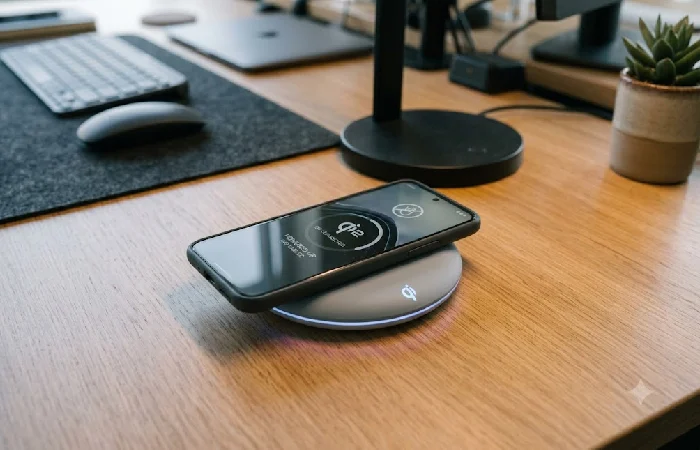
1. Wireless charging desk pad. Qi2 uses magnetic alignment to lock your device into the right spot on the pad, which is what actually makes the charging consistent. The Wireless Power Consortium flagged it as the standard to watch for reliability and fast-charging performance, and that’s as of mid-2026. Check for the Qi2 logo before you buy. Without it, you’re setting your phone down and wondering 30 minutes later why it’s at 34%.
2. Smart plug. Your monitor doesn’t have an off switch that works the way you’d want. Neither does the fan, or the coffee warmer sitting in the corner. A smart plug puts all of that on a schedule or voice command without touching a single device. Set everything to cut at 6 p.m. Standby drain stops overnight, and that automatic shutoff works as a surprisingly reliable signal that the day is actually done.
Lighting and Eye Strain

3. Smart desk lamp with USB. The USB port pulls one wall charger off your desk entirely, which sounds minor until you’re untangling cables at 8 a.m. People who switch to an adjustable, glare-free desk lamp consistently say it’s the upgrade they notice more than anything else on a long workday, simply because the light is doing its job the entire time you’re staring at a screen.
4. Screen light bar. The BenQ ScreenBar Halo sits on the monitor itself, so the light hits your desk without bouncing back into the screen. No glare, and whatever space a lamp would have taken stays clear. Desk lighting is an eye-health decision. Most people just notice the comfort side of it. The American Optometric Association’s 20-20-20 rule exists specifically to reduce digital eye strain, and if your desk lighting is poor, you’re a lot less likely to bother taking those breaks at all.
Focus and Control
5. Voice assistant for office. A voice assistant for office use — an Amazon Echo or Google Nest on the desk — handles timers, reminders, unit conversions, and smart-device control without pulling you into your phone, where one “quick check” becomes twenty lost minutes. Here’s a contrarian take: for deep focus work, a voice assistant is more valuable as a hands-free controller for your other gadgets than as a productivity tool in its own right. The genuine win is switching off the lights and plugs by voice, not asking it to run your calendar.
6. Shortcut controller. The Elgato Stream Deck Neo gives you programmable one-touch buttons right on your desk. Muting a call takes one press. Launching an app, same. You can even trigger whole scenes, entire multi-step workflows, without going near the keyboard. Most things calling themselves AI productivity tools are just rebranded shortcuts. This one actually earns it, because pulling five steps down to a single press is the real work.
Meetings and Calls

7. AI webcam. An AI webcam such as the OBSBOT Tiny 2 auto-frames and tracks you, so you stay centered and composed on camera without fiddling with positioning mid-call. For anyone on video several hours a day, it’s a clear upgrade over a built-in laptop camera that washes you out.
8. Smart whiteboard for meetings. A smart whiteboard for meetings — like the Vibe board — combines a touchscreen, video conferencing, and digital sticky notes for hybrid teams, and it shines in a shared office where people gather around it. For a solo home setup, though, I’d skip it: the price rarely justifies itself for one person, and a tablet with a stylus covers most of the same ground for a fraction of the cost.
9. Noise-cancelling earbuds. Earbuds like the Sony WF-1000XM5 use active noise cancellation to wall off a noisy room, which is often the cheapest fix for a home office you can’t soundproof. They double as your call headset, so one purchase solves focus and conferencing at once.
Background Automation
10. Robot vacuum. Set it on a schedule and your floor stays clean without you giving it a second thought. Useful in general, but genuinely worth it if you eat at your desk or have a pet in the room. It runs after you log off, so you’re starting the next morning on a clean floor without having done anything.
11. Air quality monitor. A small air quality monitor tracks CO2 and particulates, and rising CO2 in a closed room is associated in research with reduced concentration and feelings of mental fatigue, which many people notice as a mid‑afternoon “fog”. The monitor simply tells you when to open a window, which is a cheaper fix than another coffee.
12. Occupancy sensor. It connects your lights and plugs directly to whether you’re actually sitting there, so nothing stays on when you walk away. That low-grade anxiety about leaving the lamp on disappears completely. Pair it with a smart plug and your desk is essentially running itself.
How to Choose: Ecosystem, Budget, and What to Skip
Pick your ecosystem before you buy a single thing. Alexa, Google Home, and Apple HomeKit each control a different slice of the device market. They don’t cross over as cleanly as the packaging implies, and if you buy across all three without a plan, you’ll end up juggling separate apps just to run one desk. Most people find that out after the fact. Figure out which assistant your existing devices already lean toward, then make sure anything new you’re buying actually plays within that same system. Checking for the logo of your chosen ecosystem on the box takes ten seconds and saves a lot of regret.
On comfort, smart gadgets and ergonomics solve different problems, and the smartest lamp in the world won’t save your back or wrists — that’s the job of ergonomic desk gadgets that prevent strain, which deserve their own consideration alongside the connected devices here.
As for what to skip: novelty gadgets with a single party-trick feature, anything that demands its own dedicated app you’ll open twice and forget, and premium hardware built for large teams when you’re a team of one. Selectivity isn’t a limitation here — it’s the entire point of the list.
A Smart Office Starter Setup (Global and India Context)
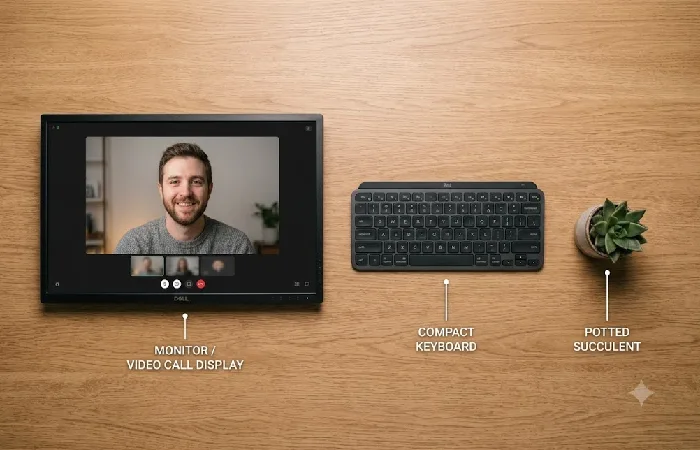
You don’t need all twelve. Start with a wireless charging desk pad, a smart desk lamp with USB, and one voice assistant. Three things that cover power, lighting, and control without a heavy spend, and enough to tell you whether the rest is actually worth it.
For readers in India, availability and pricing differ from US and EU markets. Amazon Echo, Mi, and Wipro smart plugs are easy to find locally and priced reasonably, but anything in the premium tier like the BenQ ScreenBar or OBSBOT webcam comes with import-inflated prices and slower shipping. A practical approach: buy the high-use, low-cost gadgets — smart plug, charging pad, smart bulb or lamp — locally first, and treat the premium conferencing gear as a later upgrade once you know it’ll get daily use. As you expand, the same logic carries over to building out your wider desk setup: start with what you’ll touch every single day.
You can also cross‑check that starter stack against the quick‑reference table above — it covers power, lighting, and focus first because those rows deliver the highest daily payoff for the lowest combined cost.
Smart Office Gadgets FAQ
1. What counts as a smart office gadget?
Any device that takes a manual step off your plate. Phone connectivity, scheduled automation, or a sensor that picks up what’s happening around it, any one of those qualifies. The lamp on your desk right now probably doesn’t. The same lamp with app control and a color temperature schedule does.
2. Are smart office gadgets actually worth it?
For most hybrid and remote workers, yes — but only the ones that fix a problem you genuinely have. A wireless charging pad and a smart plug pay off daily, while a gadget bought for its feature list usually ends up in a drawer within a month.
3. Do I need Alexa or Google Home to use them?
You don’t need one, but having a voice assistant makes a real difference. Everything gets a single control point instead of scattered apps. That said, plenty of gadgets run fine through their own apps if you’re not ready to commit to one ecosystem yet.
4. What’s the single best smart office upgrade to start with?
A wireless charging desk pad. Cable friction disappears on day one. It costs relatively little, and by that same afternoon you’ll notice it’s already earning its place.
5. Which AI productivity gadgets are worth buying?
A programmable shortcut controller and an auto-framing webcam are the two that hold up under actual use. Those are the two that actually hold up when you look past the AI label. Everything else carrying that label deserves real skepticism. Name the exact task it removes before you spend the money. If you can’t, walk away.
6. Are these gadgets easy to get in India?
The affordable essentials — smart plugs, charging pads, smart bulbs, and Echo devices — are widely available locally. Premium conferencing hardware is available too, but import pricing pushes the cost up considerably. Get the daily-use items sorted first.
Disclaimer: Everything here is based on publicly available information as of June 2026. Manufacturer pages and retailer listings were the main sources, along with brand documentation where it was actually accessible. Pricing moves fast. Check the official product page or a retailer you trust before buying.
Trust Check
Before you order from a brand you don’t know, spend two minutes on it. Find the company name and actual support contact on the official site. Check a handful of independent reviews too, not just the ones living on the product page itself. And if the product only shows up on a thin landing page with no retailer presence anywhere, that’s a red flag worth taking seriously.
Before You Buy Anything
Here’s the part most gadget guides won’t say out loud: you probably need about three of these, not twelve. The industry pushes smart office gadgets by the cartful because bundles are profitable, not because your desk needs a sensor on every surface. Buy the wireless charging pad, pick one assistant to run your lights and plugs, fix your lighting — then stop. Give those three a full month before anything else comes in. A gadget that drifts into a drawer inside four weeks was never fixing a real problem. So before you open a shopping tab: which friction on your desk annoyed you most today? Start there, not with the longest feature list.
