Published: September 23, 2026
Last Updated: September 23, 2026
Quick Answer: Project management software for small businesses helps with a few things at once. Organizing projects. Assigning tasks. Tracking deadlines, sharing information, monitoring progress, one place instead of five different ones. The right tool should match your team size, workflow, and budget. Required features factor in too. Start with task management and collaboration first. Everything else, Gantt charts, time tracking, automation, reporting, integrations, comes later, once the work actually calls for it.
No project manager title, that’s often how small businesses run things. Someone handles clients. Delivery falls to somebody else, usually a different person entirely, while the owner’s stuck watching deadlines and costs from the sidelines. Add more projects to that mix and things start scattering fast, spreadsheets here, email there, a chat app nobody checks consistently, documents saved in three different places.
Project management software pulls most of that mess into one shared system. A temporary effort that creates something unique, a product, service, or result, that’s how the Project Management Institute defines a project. Structured activities and deliverables aimed at a specific outcome round out the rest of their definition. The full PMI definition of a project is worth a look if the source behind that framing matters to you.
Fitting how the business already works, that’s the real goal here. Most small teams don’t need every advanced feature sitting on a pricing page. Just the right ones, nothing that adds work instead of removing it.
Why do small businesses need project management software?
Tasks, deadlines, responsibilities, files, project updates, small businesses can keep all of it in one place with the right software. Visibility is the real payoff here. Nobody has to chase down half a dozen people for separate updates anymore. One project workspace, and anyone can check the current status of assigned work right there.
A typical project may contain:
- Tasks and subtasks
- Assigned team members
- Due dates
- Milestones
- Task dependencies
- Files and documents
- Comments and updates
- Time records
- Project reports
Gantt charts, Kanban boards, time tracking, automation, budgeting, reporting, and integrations, modern platforms tend to support most of this. What’s actually included depends on the provider and the plan you’re on.
For a small business, this stuff only earns its place if it actually solves a problem your team is dealing with right now. Counting features on a comparison chart doesn’t tell you much on its own.
Essential features for small business project management
The best starting point is a short list of features that support everyday project work.
| Feature |
What it helps you manage |
Useful for |
| Task management |
Individual work and responsibilities |
Every project |
| Subtasks |
Smaller steps within larger tasks |
Detailed workflows |
| Due dates |
Deadlines and schedules |
Time-sensitive work |
| Task dependencies |
Work that must happen in a specific order |
Multi-step projects |
| Kanban boards |
Work status and workflow stages |
Teams using visual workflows |
| Gantt charts |
Timelines and dependencies |
Projects with fixed schedules |
| Collaboration |
Comments, updates and shared files |
Team projects |
| Time tracking |
Hours spent on tasks |
Agencies and billable work |
| Reporting |
Progress and project performance |
Owners and managers |
| Integrations |
Connections with other business tools |
Teams with established workflows |
| Automation |
Repetitive actions and notifications |
Recurring processes |
Breaking a big project into manageable work usually comes down to a handful of features. Milestones. Subtasks. Dependencies and reminders. Kanban boards, Gantt charts, whichever visual layout fits the team. Get task management sorted before anything fancier gets added on top.
Skip paying extra for advanced functions just because a plan happens to include them. Tasks, deadlines, shared files, that’s genuinely all some teams need, and a more complex platform on top of that usually just means more setup and more administration to deal with later.
How to manage tasks, teams and deadlines
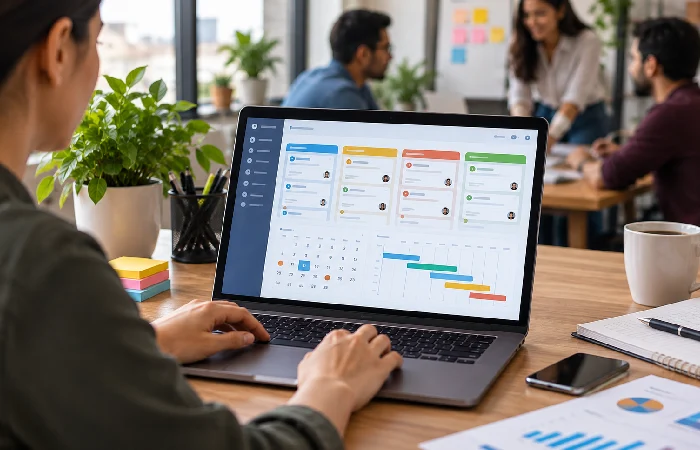
A simple workflow can keep project management software useful without making it complicated.
1. Create the project
Start with whatever actually needs to get delivered at the end. A marketing agency, say, building out a project for a client’s website launch. Planning, design, content, all of it can live under that one project. Development, testing, launch, that’s the rest of it, same workspace the whole way through.
2. Break the project into tasks
Turn the larger project into individual tasks.
Instead of creating one task called “Launch website,” create smaller tasks such as:
- Finalize sitemap
- Approve homepage design
- Write product pages
- Complete development
- Test forms
- Review mobile layout
- Publish website
This makes responsibility and progress easier to track.
3. Assign each task
Every task needs one clear owner. Assigning the same task to several people gets messy fast, unless the software and workflow spell out exactly who’s responsible for what. One owner, one person accountable. Easier to see who actually needs to act when something’s late.
4. Add deadlines
Give each task a realistic due date.
For projects with dependent tasks, set the sequence carefully. A development task may depend on approved designs, while testing may depend on completed development.
Project management systems can represent these relationships through task dependencies and timeline views.
5. Track progress
Use a status such as:
Not started → In progress → Review → Complete
Kanban boards make this kind of workflow easy to scan at a glance. Gantt charts are the better call once schedules get more complicated, with tasks laid against a timeline and dependencies visible right there instead of buried somewhere else.
6. Review overdue and blocked work
Don’t use the software only as a task list.
Check which tasks are overdue, which tasks are blocked, and which upcoming deadlines could affect delivery. This turns project data into something the team can act on.
Free vs paid project management software
Freelancers and small teams with straightforward needs can usually get by fine on a free plan. Once more projects, more storage, automation, reporting, integrations, permissions, or advanced planning features enter the picture, that’s when paying starts making sense.
Limits are the norm on free plans. Users, projects, storage, advanced features, any of these might get capped depending on the provider. Zoho Projects is a decent example here, it currently runs a free edition next to several paid ones, each with different limits and capabilities. The current Zoho Projects pricing page spells out exactly what changes at each tier, worth checking directly since pricing pages update more often than articles do.
Before choosing a free plan, check these limits:
- Number of users
- Number of active projects
- Storage
- Task and automation limits
- Reporting features
- Integrations
- Guest or client access
- Support options
- Data export options
Free doesn’t automatically mean right for a small business. A limitation hits a core workflow, and suddenly moving to paid later turns into a bigger disruption than just starting with a paid plan that actually fit from day one.
How to choose the right software for a small business

Start with your workflow rather than a list of popular tools.
Define your team size
A solo business and a 20-person agency aren’t dealing with the same problems at all. Task lists, deadlines, file sharing, basic collaboration, that’s often plenty for a very small team. Bigger teams run into different needs entirely. Workload management. Permissions. Reporting, automation, scheduling that actually accounts for more moving parts.
List your recurring work
Write down the projects your business handles regularly.
An agency may need client approvals and time tracking. A software company may need issue tracking and development workflows. A construction business may need scheduling and dependencies.
Good software bends to fit your workflows. It shouldn’t force every project into one identical structure just because that’s easier to build.
Decide which views you need
Different project views solve different problems.
- List view: useful for straightforward task tracking
- Kanban: useful for work moving through stages
- Calendar: useful for deadlines and scheduled work
- Gantt: useful for timelines and task dependencies
Don’t select software based on having the largest number of views. Choose the views your team will actually use.
Check integrations
Start with whatever your business already depends on day to day. Communication tools, cloud storage, and accounting software, that covers a lot of common integration needs already. Customer relationship management systems, calendars, automation platforms round out the rest.
Copying information between systems by hand, over and over, gets old fast for a team. One good integration usually saves more time than another feature bolted onto the project management tool itself.
Check the total cost
Look beyond the advertised starting price.
Calculate the cost for the number of users you actually need. Then check whether important functions require a higher plan or an additional charge.
For businesses that bill clients by time, also check whether the software supports time tracking and whether those records can be used for reporting or billing. Some project management platforms provide these capabilities as part of their feature sets.
Test the workflow before committing
Use a free plan or trial when available and recreate a real project.
Clicking through the interface isn’t a real test. Create actual tasks. Assign them, add deadlines, upload a few files. Move work through statuses and see what the resulting project view actually looks like.
What you’re really checking is whether the team can use this day-to-day. Not whether it adds a pile of administrative work nobody asked for.
Common mistakes when choosing project management software
Choosing too many features
More features, easier project management, those two things don’t automatically go together. A small business might need only a handful of core functions, nothing more. Extra dashboards, automations, views, configuration options, nobody’s using half of it most of the time, and that unused complexity just turns into setup work somebody has to deal with anyway.
Choosing based only on price
The cheapest plan isn’t always the cheapest, not really, not once important functions turn out to be missing. Cost matters, obviously, but so does the user limit, the storage cap, whatever integrations you actually need. Required add-ons pile onto that too, and don’t forget the time it takes just to manage the system day to day, that’s a real cost most people skip counting.
Ignoring user adoption
A feature-rich platform is worth very little if nobody on the team actually keeps it updated. Pick a workflow people can pick up fast, without a manual. Too many steps just to update a task, and people quietly drift back to email, spreadsheets, whatever chat app they were already using.
Moving everything into the software at once
Start with one real workflow.
Start with one current project. Set up task statuses, assign responsibilities. Agree on how updates actually get recorded, before anything else moves forward. Once that process is working, roll it out to the rest.
Failing to review permissions and data
Client information. Documents. Financial details, internal business information, whatever’s sensitive, project management software probably touches some of it eventually.
Check the user roles first. Access permissions, file-sharing controls too. Look into the security information as well, before any of that sensitive data actually moves into the platform.
What should a small business look for first?
If you’re starting from scratch, prioritize features in this order:
- Task and subtask management
- Assignments and due dates
- Basic collaboration
- Project status tracking
- Calendar or timeline views
- File and document sharing
- Integrations you actually need
- Reporting
- Time tracking, if relevant
- Automation for repetitive workflows
This order keeps the initial setup focused on project execution. Advanced features can be added when the business has a clear use for them.
Frequently asked questions
1. What is project management software for small business?
A digital tool built for planning, assigning, tracking, and coordinating project work, that’s the short answer. Tasks, deadlines, documents, communication, schedules, progress information, all of it ends up in one workspace instead of scattered around.
2. Do small businesses need project management software?
Not every one of them, no. It starts earning its keep once a business is juggling several projects, multiple team members, and recurring deadlines. Client work and tasks that depend on each other add to that case too.
3. What features should small businesses look for in project management software?
Task management, assignments, due dates, collaboration, project status tracking, start there. Gantt charts, time tracking, reporting, integrations, automation, budgeting, any of those might get added later depending on how the workflow actually runs.
4. Is free project management software enough for a small business?
For simple projects and small teams, often yes. Users, projects, storage, integrations, features, check the limits on all of these before leaning on a free plan for anything business-critical.
5. Can project management software replace spreadsheets?
For a lot of project-tracking workflows, sure. It won’t cover every business process, though. Tasks, responsibilities, deadlines, dependencies, communication, progress, when all of that needs managing together, this is where the software actually earns its place.
6. How many people can use small business project management software?
Depends entirely on the provider and the plan. Free tiers tend to cap out around small teams. Paid tiers usually stretch further. Either way, checking the current plan limits before choosing anything is worth the five minutes.
7. How do I choose project management software for a small team?
Projects, recurring tasks, deadlines, collaboration needs, integrations, budget, list all of that out first. Test those actual workflows in the software itself before committing to any plan.
Choose software around your actual workflow
The right project management software for a small business makes everyday work easier to organize. It shouldn’t turn into another system your team has to maintain on top of everything else.
Start with the work that actually needs controlling. How are tasks assigned? How do deadlines get handled, where do files live, how does anyone review progress? Software should support those real processes, at a cost that actually makes sense.
For a broader overview of the topic, see the project management software guide.
