Published: September 24, 2026
Last Updated: September 24, 2026
Quick Answer: Are password managers safe? Yes. A well-designed one can be, at least. Generate, store, manage, that’s the job, and it has to be done securely. That means a long, unique master password. Multifactor authentication too. Updated devices. Strong encryption helps. Zero-knowledge designs, multifactor authentication, all of it works together to protect the vault. Risk still exists. A compromised master password. An infected device. Provider security failures. Losing access to the vault itself.
Password managers solve a basic problem. Creating and remembering a different, strong password for every single account. CISA recommends them for exactly this, generating and securely storing strong passwords instead of reusing weak ones.
Not risk-free, though. Put many credentials in one vault and you’ve built a concentrated target. The security model of the service matters. So does how you protect your own account.
What actually matters isn’t whether a password manager can be attacked, it can. It’s what an attacker gets if the provider, the vault, or your device ends up compromised.
How secure are password managers?
Reputable password managers protect stored credentials with encryption. Other security controls back that up too. Many use client-side encryption, so the vault gets encrypted before it ever touches the provider’s servers.
CISA describes zero-knowledge architecture this way: systems outside your own device can’t access your primary password or the plaintext vault data. Cloud-synced managers work a bit differently. End-to-end encryption is the goal there. Vault data stays encrypted, transmitted and stored that way, nothing exposed in between.
Encrypted storage isn’t a guarantee. An account can still get compromised. Attackers have other targets. Your master password. Your authentication method. The device itself, the browser extension, an active account session.
CISA notes that storing many passwords in one vault creates a concentration risk: a compromised primary credential or vault could expose saved passwords, while a provider outage could temporarily prevent access to a cloud-hosted vault. Its password-manager guidance for hybrid identity systems explains the security trade-offs involved in using password managers.
That makes the provider’s security model important. Look for clear information about encryption, account authentication, recovery, security audits and how the company handles vulnerabilities.
How password manager encryption protects your data
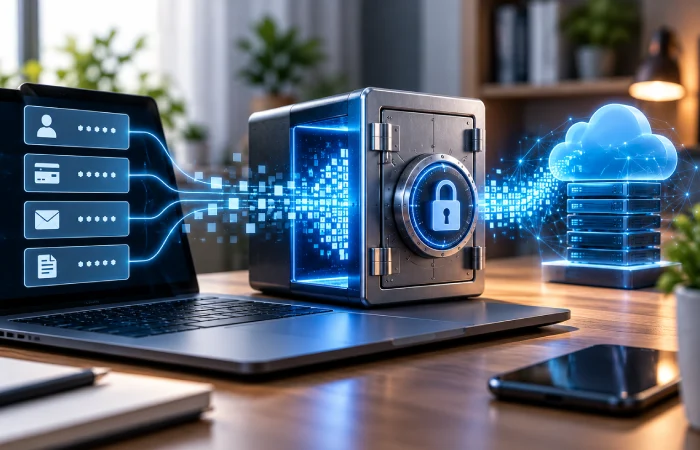
Password manager encryption changes readable information into protected data that cannot be understood without the required cryptographic keys.
If you want to understand the technology behind these security features, see our guide to how a password manager works. Storing, encrypting, retrieving, that’s what it walks through.
A strong design encrypts the vault before it reaches cloud storage. For example, 1Password says its security model uses end-to-end encryption and that its account password is used as part of protecting the user’s encrypted data.
CISA explains zero-knowledge architecture this way: the provider can’t access a user’s primary password or unencrypted vault data. Its guidance on zero-knowledge architecture lays out what that means in practice. A server breach doesn’t hand an attacker readable passwords automatically. Stolen encrypted vault data isn’t safe from everything, though, offline password-guessing attempts can still target it.
Encryption methods aren’t identical across products. Don’t assume otherwise. A provider should document its encryption and key-management approach clearly. Simply advertising “secure” isn’t the same thing.
Bitwarden, for example, documents client-side encryption. Its servers get encrypted data, the company says, never plaintext vault contents.
What are the main password manager risks?
Password managers reduce several common password problems, but they introduce risks that you need to understand.
| Risk |
What can happen |
How to reduce the risk |
| Master password compromise |
An attacker may gain access to the vault |
Use a long, unique master password and MFA |
| Device compromise |
Malware may access information available on the device |
Keep the OS, browser and apps updated |
| Provider breach |
Attackers may obtain stored vault data or account information |
Choose a provider with strong encryption and a documented security model |
| Phishing |
Fake login pages can try to steal your account credentials |
Check the website before entering your master password |
| Loss of access |
Forgetting credentials can prevent access to the vault |
Understand recovery options before storing passwords |
| Provider outage |
Cloud services may become temporarily unavailable |
Understand offline or cached-vault options where supported |
CISA recommends choosing a password manager carefully. Understand how the master password and account recovery work before you commit. Pick one that supports multifactor authentication too.
The key trade-off is concentration. You have fewer passwords to remember, but the password manager account becomes especially important to protect.
Can a password manager be hacked?
Yes. Password managers are software services, so they can be targeted by attackers and can contain vulnerabilities. The more useful question is what happens after an attack.
If a provider uses client-side, end-to-end or zero-knowledge encryption, a stolen database may contain encrypted vault data rather than immediately readable passwords. However, attackers may still attempt offline password-guessing attacks against stolen vault data, and exposure of unencrypted metadata or account information can still create risk. CISA specifically describes encryption and zero-knowledge architecture as measures that can reduce the impact of a compromised password-management service.
Your own device is part of the security chain too. CISA warns about malware here specifically. It can access stored data. Read it. Steal it outright. Keeping operating systems and software updated is the recommendation that follows from that.
A strong password manager can’t fix a compromised device. It can’t undo a stolen master password either. Protecting the account around the vault matters just as much as the encryption sitting inside it.
How to use a password manager safely
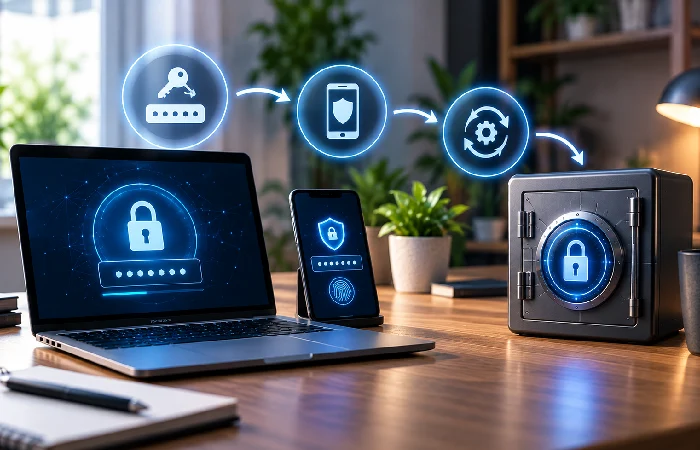
You can reduce the biggest risks with a few practical steps.
1. Create a strong, unique master password
Don’t reuse this password anywhere else. It’s the one thing protecting access to your entire vault. Long works. A passphrase works too, so long as you can actually remember it without it being guessable. CISA’s guidance backs this up, long, random, unique passwords. It specifically points to password managers as what makes unique credentials realistic to maintain.
2. Turn on multifactor authentication
Enable MFA for your password manager account, whenever the service offers it. Knowing the password alone is no longer enough once MFA is on, another factor has to check out too. This is one of CISA’s standing recommendations: additional protection for accounts and password-management systems alike.
3. Keep your devices updated
Operating system. Browser. Password manager. Extensions. Install security updates for all of them. The device itself is a target. Not a hypothetical one, either, it’s what your password manager actually runs on. That’s the whole reason this step matters as much as it does.
CISA’s advice here is specific: keep updating operating systems and software, regularly, as ongoing protection against malware and other threats.
4. Download the manager from an official source
Avoid installing password manager applications or browser extensions from unfamiliar websites.
A fake application can create a completely different security problem because the attacker may control the software before you ever enter a password.
5. Understand account recovery before you need it
Some zero-knowledge designs intentionally prevent the provider from recovering your master password.
That can strengthen privacy because the provider does not possess the secret needed to decrypt your vault. It can also mean that forgetting the master password creates a serious recovery problem. CISA specifically recommends understanding how the master password and account recovery process work before choosing a password manager.
6. Review your vault regularly
Remove old accounts and replace credentials that have been exposed or reused.
A password manager is most useful when every important account has its own strong credential. CISA recommends unique passwords and identifies password managers as a way to make secure password practices easier to maintain.
A password manager is safer when the surrounding account is secure
The encryption inside a password manager is only one part of the overall security picture.
An attacker doesn’t always go after the encryption itself. Sometimes it’s easier to go around it, through whatever’s weakest: your master password, MFA method, device, browser, recovery process, software updates. Any one of those can be the way in.
“AES-256” on the box doesn’t tell you much by itself. Neither does “zero knowledge,” honestly. What matters is how the product actually implements those protections, and that’s in the provider’s security documentation, not the marketing. Check how the product actually implements those protections in practice.
Frequently asked questions
1. Are password managers safe for everyday use?
Yes. Reputable password managers are designed to securely store credentials and help users create unique passwords. Their security still depends on the provider’s design and on how you protect the master account.
2. Can a password manager be hacked?
Yes. It can be targeted and compromised, both. Strong encryption limits what attackers can actually read from a stolen vault. A stolen master password is different, though, so is a compromised device, either one opens up its own separate risk.
3. What happens if a password manager company is breached?
Two things decide the outcome. What the attacker actually manages to get. And how the service protects its vault data before that even happens. Client-side or zero-knowledge encryption changes the outcome. Vault data can stay encrypted even after an attacker reaches the provider’s systems.
4. Is it safe to store all passwords in one place?
It creates a concentrated target, but it also makes strong, unique passwords practical for every account. The safety of a centralized vault depends on the provider’s encryption design, your master password, MFA, device security and the service’s recovery process.
5. What is the biggest risk of using a password manager?
A compromised master credential or device can be a major risk because the vault contains many accounts. Using a strong unique master password, MFA and updated devices reduces these risks.
6. Are password managers safer than reusing passwords?
Reusing passwords is the risk. A password manager takes that risk away. Unique credentials are generated and stored automatically, one per account. And it’s not just a nice-to-have, CISA lists this as a practical way to manage strong, unique passwords.
7. Should I use a password manager with MFA?
Yes. Turn it on if the option’s there, no real reason not to. That’s another protection layer on the account, no downside to it. Stronger account security, that’s exactly what CISA recommends MFA for.
What to do next
Are password managers safe? They can be, when the provider uses a strong security model and you protect the vault properly.
If you’re choosing one, start by checking its encryption design, account authentication, recovery process, security documentation and update practices. Then create a unique master password, turn on MFA and keep the devices you use to access the vault updated.
For a broader explanation of password managers and their role in account security, see the site’s password manager guide.
