Published: July 2, 2026
Last Updated: August 31, 2026
You’ve scrolled through enough “best desk gadgets” lists to know the pattern. Half the picks are over budget. The other half are novelty items that collect dust within a month. Finding affordable office gadgets that actually change how your workday feels is harder than it should be.
Every item on this list costs less than $50 and solves a specific friction point, whether that’s neck pain at 3 p.m., a tangled mess behind your monitor, or the habit of checking your phone whenever a task gets slightly boring. I’ll also break down what each one costs per workday, because a $25 gadget you use 250 days a year runs you ten cents a day. That reframe changes which purchases feel worth the money.
Most people write off neck stiffness as just part of a long day at the desk. It usually isn’t. Screen height is the more likely cause, and it’s one of the cheaper things to fix.
Key Points: Hundreds of dollars won’t fix a bad desk setup. What actually helps are small, specific fixes, and every gadget in this list costs under $50. Posture problems, eye strain, scattered focus, cable mess: the 15 picks here each address one of those, and each one comes with a cost-per-workday number so you can judge whether it’s worth it.
Definition
Most people use “affordable office gadgets” to mean the sub-$50 accessories that fix one specific annoyance: a sore back, a glaring screen, cables everywhere. They’re not full desk overhauls. They’re targeted.
About this guide: This article pulls from product information, user reviews, and published sources on budget desk setups, all checked as of July 2026. Nothing here is sponsored or based on hands-on testing. Prices move and stock changes, so verify the details on retailer sites before you order.
Which Budget Desk Accessories Actually Earn a Spot on Your Desk
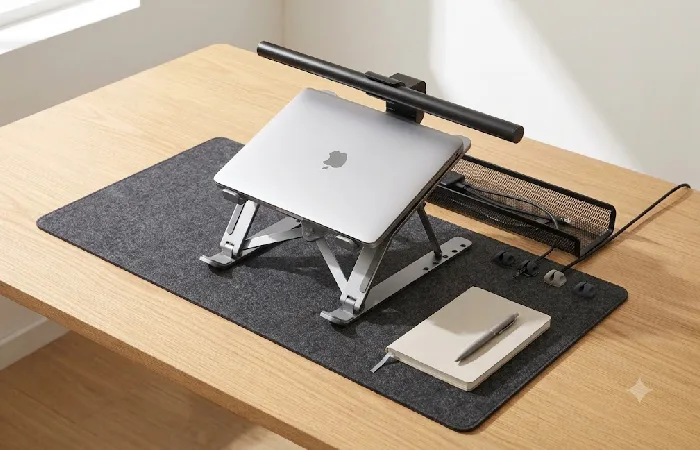
A monitor light bar runs $20–35. Foldable laptop stands sit between $15 and $25, and a cable management tray costs around $12–20. Throw in a Pomodoro timer at $10–25 and you’ve covered the four complaints that kill desk productivity: eye strain, bad posture, lost focus, and clutter that slowly drives you mad. Those four are where to start.
The rest fills gaps based on what’s actually bothering you. Three things had to be true for anything to make this list: it solves a real problem, it stays under $50, and enough real users across major retailers backed it up over time.. Not chosen for aesthetics.
You don’t need all 15. Three well-chosen gadgets, matched to your actual daily frustrations, tend to show results within a week or so. Most people get this wrong by shopping for a category of product rather than a specific problem they’re trying to solve. So think about your workday: where does it actually fall apart? Neck and back pain usually means the monitor or laptop position is off. Tired eyes by 2 pm is almost always a lighting problem. Scattered attention responds well to a physical timer more than people expect. And cable chaos, honestly, is the easiest fix on the list. Start with whichever one costs you the most focus on a normal day.
You don’t need “an ergonomic accessory.” You need to stop getting a stiff neck by 2 pm. That distinction matters because it keeps you from spending $25 on a vertical mouse when your real issue is monitor height. If you’re building out a full setup, start with the broader office desk gadgets guide for the bigger picture before picking individual items here.
Four Cheap Office Gadgets That Fix Posture Before It Gets Expensive
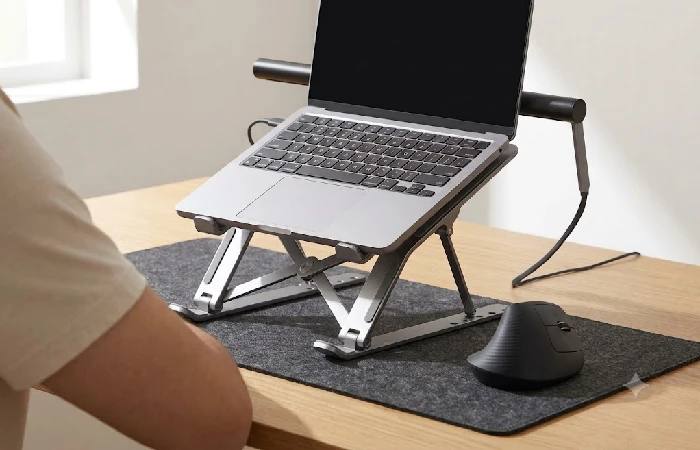
Your posture is usually the first casualty of a long day at your desk, and it’s the last thing anyone bothers fixing. OSHA actually spells it out in their ergonomic workstation guidelines. Keep your monitor an arm’s length away, with the top of the screen sitting at or just below eye level. Almost nobody’s default laptop setup meets that standard.
- 1. Foldable laptop stand ($12–25). Gets your screen up to eye level. Aluminum models from brands like Lamicall fold flat enough to toss in a laptop bag. At $15 over 250 workdays, that’s about six cents a day.
- 2. Vertical ergonomic mouse ($13–25). Anker and ProtoArc both sell solid options under $25. The vertical grip puts your wrist in a handshake position instead of twisted flat against the desk. It feels odd for about two days, but after that, going back to a regular mouse feels wrong.
- 3. Monitor riser ($15–30). If you use an external monitor, a riser gets it to the right height while adding a small shelf underneath for your phone or a notebook. Acrylic ones look clean. Wood ones hold more weight.
- 4. Memory foam wrist rest ($8–15). I’ll be upfront: this one’s debatable. The argument against it is that a wrist rest trains you to park your wrists down when you should be keeping them floating. That’s a fair point. But if you already rest your wrists on the desk edge while you type, foam is meaningfully better than hard surface. Worth knowing: persistent wrist pain or anything that feels like repetitive strain is worth running by a medical professional. An $8 accessory isn’t a substitute for that.
Best Office Gadgets Under $25 for Tired Eyes and a Cluttered Surface
The American Optometric Association has reported that digital eye strain affects roughly 58% of adults who work on screens for two or more hours daily, according to its overview of computer vision syndrome.
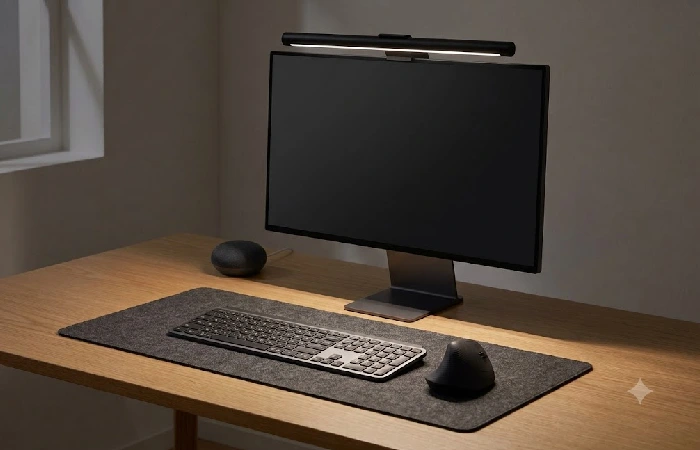
A monitor light bar clips to the top of your screen and lights your desk without creating glare on the display itself. Regular desk lamps bounce light off the screen, which is exactly the problem you’re trying to solve. Quntis and Baseus both have well-reviewed models under $30 on Amazon. You’ll notice the difference the first evening you work past sunset.
Then there’s the extended desk mat, which runs $10–25 and does more than replace a mouse pad. Full-width mats change how the whole surface feels to work on: keyboard noise drops, mouse tracking gets consistent, and the desk looks less chaotic even when it’s covered in stuff. That last part matters more than it sounds.
Here’s how the price breaks down if you spread it over a standard work year:
| Gadget |
Price Range |
Cost Per Workday |
Primary Problem Solved |
| Monitor light bar |
$20–35 |
$0.08–0.14 |
Screen glare, eye strain |
| Extended desk mat |
$10–25 |
$0.04–0.10 |
Surface clutter, mouse tracking |
Assumes roughly 250 workdays per year.
Two Inexpensive Desk Gadgets for Getting Your Focus Back
Your phone is the problem. You already know that. A University of California, Irvine study published in the late 2000s found that after an interruption, it took participants an average of about 23 minutes and 15 seconds to return to their original task, as detailed in a paper from the UCI Department of Informatics on interruption and task resumption. Two inexpensive desk gadgets directly attack that loop.
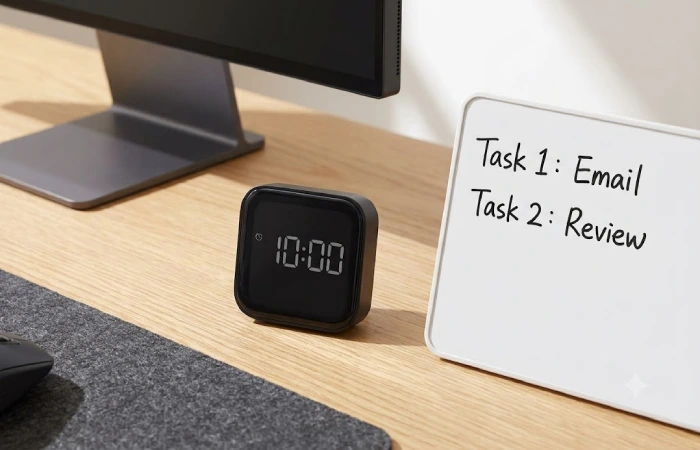
- Pomodoro timer ($10–25). The Ooraii F4 and similar rotation-based timers work because you flip them, they count down, and you work until they stop. No app. No phone involvement. That’s the entire value. A phone-based timer defeats the purpose because you’re unlocking the exact device that distracts you.
- Desktop dry-erase board ($8–15). A small A4 whiteboard next to your monitor handles fast task capture without pulling you into another browser tab. Scribble what needs to get done before lunch, wipe it when you’re done. No to-do app has ever quite replicated the satisfaction of physically erasing something completed, and that’s not a small thing.
If you want to go deeper on focus-specific tools, the productivity gadgets for office guide covers that territory with more detail.
How to Clean Up the Cable Disaster for Under $50
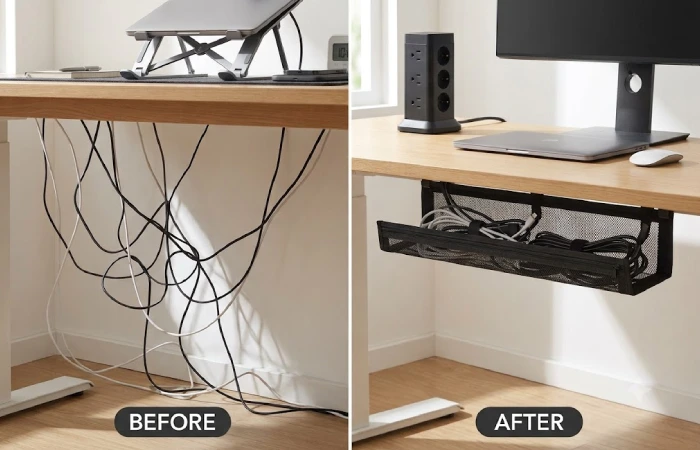
Look, you can tell a lot about how someone’s desk functions by checking what’s happening behind their monitor. If it’s a tangle of chargers and power bricks and that one USB cable you keep meaning to sort out, there’s a constant low-level visual noise that adds up. These four items sort that out, and most take under 10 minutes to install. Every item here is on Amazon, under $50, and has enough reviews to be worth trusting. That last part matters more than people think. A product with 40 reviews and a 4.8 rating tells you almost nothing. Look for the neutral ones specifically, not just the stars, since that’s where build quality issues actually show up.
- Under-desk cable management tray ($12–20). Trays from Litwaro and similar brands screw or adhesive-mount to the underside of your desk. You stuff your power strip, excess cable slack, and adapters into it. Everything disappears.
- 10. Tower power strip with USB ports ($18–30). Replaces the flat surge protector on your floor. A vertical tower sits on or clamps to your desk, giving you outlets plus USB-A and USB-C charging ports in one compact column. TROND and Baseus both make solid options in this range.
- USB-C hub ($15–40). If you’re working from a laptop with two USB-C ports, a hub gets you back HDMI, USB-A, and SD card slots. Check the specific port combination before buying, though. Not every hub supports the same mix.
- Adhesive under-desk drawer ($12–20). Mount it under your desk and everything that normally clutters the surface- pens, sticky notes, that SD card you’ve been moving around for weeks- disappears into it. You didn’t tidy. You just gave the mess somewhere to live that isn’t in your eyeline.
Smart Plugs, Wireless Charging, and a Cleaning Kit
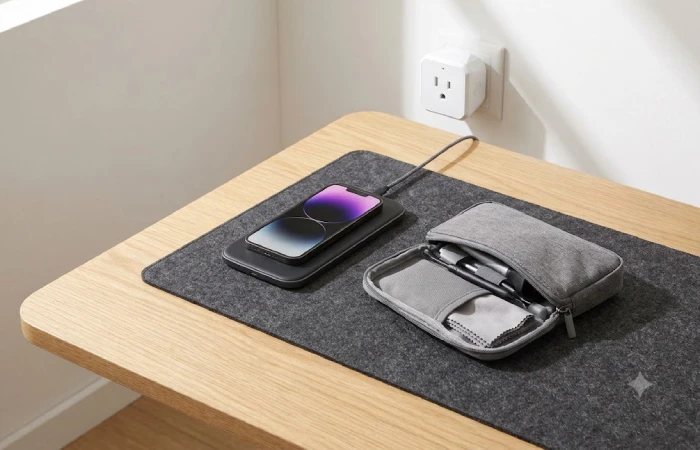
Three more worth mentioning. And then I want to talk about what you should skip.
Smart plugs come in two-packs for $10–18. Plug your desk lamp and fan into these, set a schedule, and they shut off automatically at the end of your workday. Sounds minor. But having your workspace physically power down at 6 pm is a surprisingly effective boundary signal if you work from home.
A wireless charging pad ($12–25) keeps your phone topped up without a cable occupying a USB port. Anker’s budget pads work fine for standard-speed charging. Don’t expect fast-charge speeds at this price, and check that your phone case isn’t too thick for the coil to reach.
The last one isn’t exciting: an electronics cleaning kit for $10–15. A 20-in-1 set with brushes, a microfiber cloth bundle, and screen solution that doesn’t leave streaks handles your keyboard, monitor, and earbuds. A clean keyboard types better. A smudge-free monitor reduces the urge to squint. That loops back to the eye strain section above.
For setups that lean more toward automation and voice control, the guide on smart office gadgets covers the next tier up.
What to Skip When You’re Shopping on a Budget
This is the part most people get wrong. A tight budget makes every bad purchase sting more, so knowing what to avoid matters as much as knowing what to buy.
Desktop vacuums get recommended constantly. They’re weak enough that you’ll still end up flipping your keyboard over and shaking it out. A $2 compressed air can does the same job faster and doesn’t need charging.
Novelty items, too. LED coasters, mini basketball hoops, desk punching bags. Fun for a day, maybe two. Then they sit there taking up the exact space you were trying to reclaim.
That said, “cheap” doesn’t automatically mean “bad.” A $15 product designed to solve a specific friction point earns its spot on your desk. A $15 product that exists mainly to fill out a gift guide usually ends up in a drawer within a month. If you can name the daily annoyance an item would fix, it’s probably a good buy. If you can’t, walk away.
Your next move depends on where you’re starting. If your desk already functions and you’re looking for the one or two affordable office gadgets that’d sharpen the experience, go with the posture and lighting picks first. If you’re setting up from scratch, the cable management tray plus a laptop stand plus a monitor light bar covers roughly 80% of what most people actually need.
Frequently Asked Questions
1. Are cheap office gadgets reliable enough for daily use?
Most items on this list carry thousands of reviews and 4.2+ star ratings on Amazon. At the under-$50 level, premium brand names aren’t really in the picture, but that’s not the problem it sounds like. Anker, Lamicall, and Baseus have built genuine reputations in this price range over years of volume sales. One thing worth checking: review count matters as much as the star rating. A 4.5-star product with 47 reviews tells you almost nothing. A 4.3-star product with 8,000 tells you quite a bit.
2. What’s the single best office gadget to buy first?
A laptop stand or a monitor light bar. Both fix problems you experience every workday but might not consciously notice. That’s why they have the biggest felt impact once you install them.
3. Do I need to buy everything on this list?
No. Pick two or three based on what bothers you most today. Buying all 15 at once runs $200–350 and creates its own clutter problem, which defeats the point.
4. Where should I buy these gadgets?
Amazon has the widest selection and the most flexible return policies for this category. Walmart and Target carry several of these items in-store if you’d rather see something before you pay for it.
5. Can these gadgets work for both a home office and a corporate desk?
Every item here is portable or small enough to work in either setting. The laptop stand, desk mat, and cleaning kit travel especially well if you split time between locations.
6. Is a $20 monitor light bar as good as a $100 one?
For basic task lighting, yes. Spend more and you’re mostly paying for adjustable color temperature, auto-dimming sensors, and wireless controls. For most people working a standard 9-to-6, the budget version does the job.
Fifteen gadgets sounds thorough. Two or three that actually match your problem will outperform them every time. Start with whatever is making your workday worse right now, neck pain, eye fatigue, cable chaos, and sort that before anything else.
Stock changes and prices move around, so verify before you buy. A quick check on current ratings and availability takes two minutes and saves the hassle of ordering something that’s quietly been replaced by a better version at the same price.
