Published: September 23, 2026
Last Updated: September 23, 2026
Quick Answer: project planning software maps out tasks, timelines, dependencies, and resources. All of it before work even starts. It keeps that plan updated as the project runs. A rough idea turns into a schedule, with owners and dates attached. Resource conflicts and scheduling risks tend to show up early. Long before they’d otherwise slow the team down.
Most projects don’t fail because the work is hard. Nobody mapped out who was doing what. By when. With what resources. Not until the schedule had already started slipping. Project planning software gives you one place for all of it. Tasks. Owners. Deadlines. Dependencies. The people or budget each task actually needs.
First up: what the software actually does. Then how to build out tasks, milestones, and timelines inside it. Resource planning and workload, and how the two connect. What Gantt charts add to the picture. And how to pick a tool sized for your team, not one built for a company three times your size.
Put simply: it’s software that breaks a project apart into tasks you can actually manage. Assign owners. Set deadlines and map dependencies. All before work begins.
What Is Project Planning Software?
Planning happens first. Before execution starts, before anything else. Atlassian’s overview of project planning software calls it a tool that breaks a project down into a full plan. Task creation, assignments, reporting, all tied together to make planning and execution less clunky. That framing matters. Planning and tracking get treated as the same thing. They aren’t, not really.
Planning software’s job is building the blueprint. What needs doing, in what order, with which people and budget attached. Execution and tracking come after. The plan has to exist first, work starts once it does. Most modern tools blur that line, bundling planning and tracking into one product. This page sticks to the planning layer.
A typical project planning tool includes task creation with owners and due dates. A timeline or calendar view. Dependency mapping, too, so one task can’t start before another finishes. Some form of resource or workload view as well.
How to Create Tasks, Milestones and Timelines
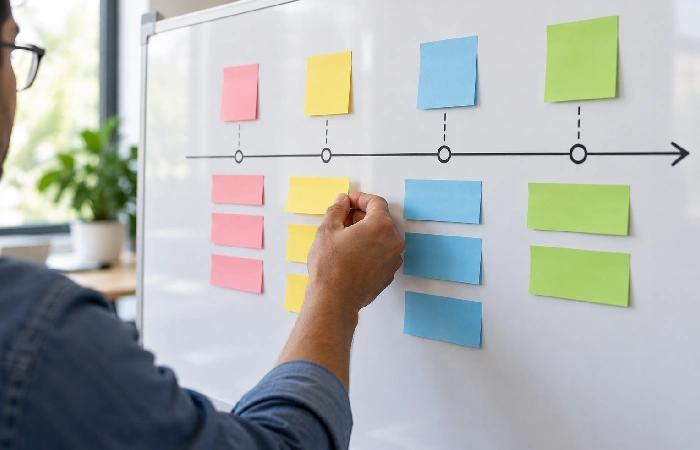
Start with the end date. Decide when the project needs to be done. Work backward from there. Break it into phases. Then break each phase into tasks, small enough that one person can own each one without ambiguity.
Attach a start date and a due date to every task. Not just a due date. A deadline alone hides how much runway a task actually has. That’s the problem: a delay upstream can be about to push the whole timeline, and nobody sees it coming.
Milestones belong at the points where the project genuinely changes phase. Scope approved. First draft delivered. Not every few days. Too many milestones flatten the ones that actually matter, and a timeline with a milestone every task or two stops being useful as a signal.
Mark dependencies explicitly wherever one task can’t start until another finishes. Most planning tools display this as a line connecting two bars on a timeline, which makes it obvious when a delay in one task will push everything downstream, instead of that risk staying invisible until it happens.
Resource Planning and Workload Management
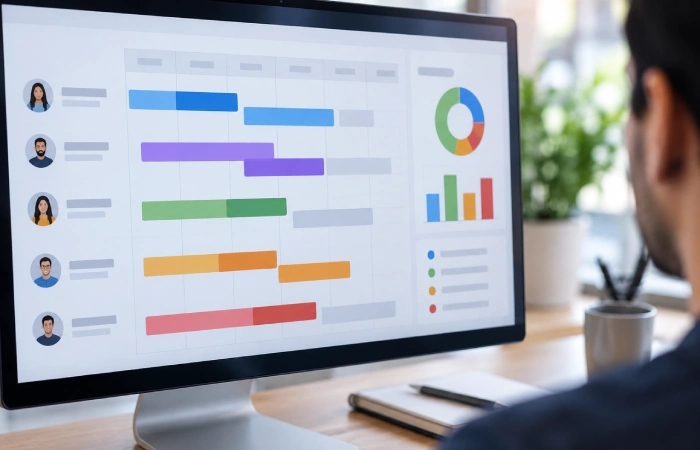
Resource planning answers a different question than the task list does: not just what needs doing, but who has the time and the right skills to do it. ProjectManager’s resource planning features page describes this as assigning resources, balancing team workload, and comparing planned effort against actual effort through dashboards and timesheets, so a manager can see who’s over-tasked before it becomes a missed deadline.
Workload conflicts usually show up in one of two ways. The same person is assigned to overlapping tasks on the timeline. Or a task assigned to nobody at all. A resource or workload view catches both. Usually it’s a chart, hours or task count per person, laid out across the current plan.
Build resource checks into the planning stage itself rather than only reviewing workload after a project starts slipping. Reassigning a task before work begins costs almost nothing; reassigning it mid-task usually means redoing part of the work.
Gantt Charts and Project Planning Features
A Gantt chart lays a project out horizontally. Each task gets a bar, stretching from its start date to its due date, with dependency lines connecting the ones that relate. It’s the most common way planning software visualizes a schedule. Duration, order, overlap, all in one view instead of a flat task list.
Beyond the Gantt chart, most planning tools share a few core features. There’s a baseline: it locks in the original plan so you can compare it against what actually happened. Critical path highlighting works differently, flagging the sequence of tasks that directly controls when the project ends. And then templates, for saving a proven task structure you can reuse on similar projects later.
Not every project needs a Gantt chart. A short, linear project with few dependencies often plans just as well on a simple list or Kanban board. Forcing a Gantt view onto a project without overlapping timelines doesn’t help. It just adds visual noise.
How to Choose Project Planning Software
Match the tool to how detailed your planning actually needs to be. A team running one straightforward project at a time doesn’t need the same depth of dependency mapping and resource forecasting as a team running ten overlapping projects with shared staff.
If your team is small, it’s worth comparing tools built for that scale before evaluating enterprise-grade platforms. See the guide to project management software for small business for options sized to smaller teams and budgets rather than large portfolios.
Use this checklist before you commit:
| What to Check |
Why It Matters |
Question to Ask |
| Dependency mapping |
Shows how a delay in one task pushes the rest of the timeline |
Can you link tasks so a delay automatically flags downstream risk? |
| Resource or workload view |
Catches overloaded team members before a deadline slips |
Can you see hours or task count per person across the whole plan? |
| Baseline comparison |
Lets you measure the original plan against what actually happened |
Can you lock a baseline and compare it to the live schedule later? |
| Templates |
Saves a proven task structure for repeat project types |
Can you save and reuse a plan structure across similar projects? |
| Pricing per seat |
Sets your real monthly cost as the team grows |
Is pricing per user, and does the price jump at a certain headcount? |
Some platforms position planning and execution as one continuous layer rather than two separate tools. ONES.com’s guide to project planning software makes this point directly, noting that most modern planning tools include tracking features too, which is worth confirming before you buy two separate products for what one tool already covers.
FAQ
1. What is project planning software?
Project planning software lets you break a project into tasks. Assign owners. Set deadlines. Map dependencies and resources. All of it before work starts. It’s the front-end layer of project management. Building the plan, not tracking day-to-day execution.
2. How is project planning software different from project tracking software?
Planning software builds the schedule. Tasks, timelines, dependencies, resource assignments, all worked out before anything starts. Tracking is a separate job. It happens later, once work is underway. Flagging what’s on schedule. What’s falling behind.
3. Do you need a Gantt chart for every project?
No. Not always. A short project, few dependencies, often plans just fine on a simple task list or Kanban board. Gantt charts earn their place somewhere else, on projects with overlapping tasks and real scheduling risk, where seeing duration and dependency at a glance actually changes a decision.
4. Is there free project planning software?
Several platforms offer a free tier. Usually capped by user count or number of active projects. Free plans commonly drop resource management, baseline comparison, and advanced reporting. Check whether your team needs those first. Before relying on one.
5. What’s the difference between a task and a milestone in planning software?
A task has an owner and a due date. It’s the basic unit of work. Milestones work differently. No owner attached, no duration of its own, just a point where the project changes phase. Scope sign-off. Launch date. A date the plan gets measured against, nothing more.
6. How do you handle resource conflicts in a project plan?
Check the resource or workload view during planning. Before assignments go live. That way overlaps show up while they’re still cheap to fix. Reassigning a task before work starts costs far less than reassigning it once someone’s partway through.
Building a plan nobody checks against reality defeats the purpose of planning software in the first place. Set the baseline, build in the resource checks above, and revisit the plan against what actually happened at each milestone rather than only at the end of the project.
For the bigger picture on choosing and setting up project management tools generally, see the pillar guide on project management software.
