Published: September 23, 2026
Last Updated: September 23, 2026
Quick Answer: Scheduling. Budgeting. Document control. Team communication. One platform holds all of it for construction project management software. No more juggling spreadsheets and email threads just to track jobsite progress. Crew size, project complexity — the right tool comes down to both. Bigger jobs need enterprise-grade RFI and submittal workflows. Smaller jobs don’t.
Construction has more moving parts than most industries. Drawings change mid-build. Subcontractors need updates as they happen, not next week. And budgets? They shift with every change order. General project management apps, built for software teams or marketing agencies, don’t really hold up here.
What Is Construction Project Management Software?
Preconstruction through closeout. Construction project management software plans, schedules and tracks the work across that whole span, built specifically for it. Task management, document control, budget tracking, field-to-office communication – four pieces, one platform. Not several disconnected tools stitched together.
General contractors, project managers, subcontractors, owners, construction firms – all lean on these platforms for visibility into schedules, budgets and jobsite activity. Generic project management software doesn’t do this. Construction-specific needs like RFIs, submittals and daily logs usually get left out entirely.
Enterprise contractors juggling dozens of active projects need the bigger platforms. Small crews running one or two jobs? Lighter tools fit better, less overhead, less to learn. Match the software to your project volume. Chasing the longest feature list doesn’t matter nearly as much.
How to Plan Construction Tasks and Schedules
Scheduling is usually the first feature contractors evaluate. One missed sequencing step, like pouring a foundation before inspection sign-off, can stall an entire project.
Look for a platform that supports:
- Gantt charts or critical path scheduling tied to specific trades and milestones
- Dependency tracking so a delay in one task automatically flags downstream tasks
- Mobile schedule access for site supervisors who aren’t at a desk
- Daily logs that timestamp weather, crew counts and site conditions for later reference
Projul’s comparison of construction platforms notes that complex RFI and submittal workflows for large commercial projects with architects, engineers, and owners all in the loop are where enterprise tools like Procore tend to separate from lighter competitors. If your projects rarely involve that level of multi-party sign-off, a simpler scheduling tool may cover what you need without the added cost.
Document and Team Management Features
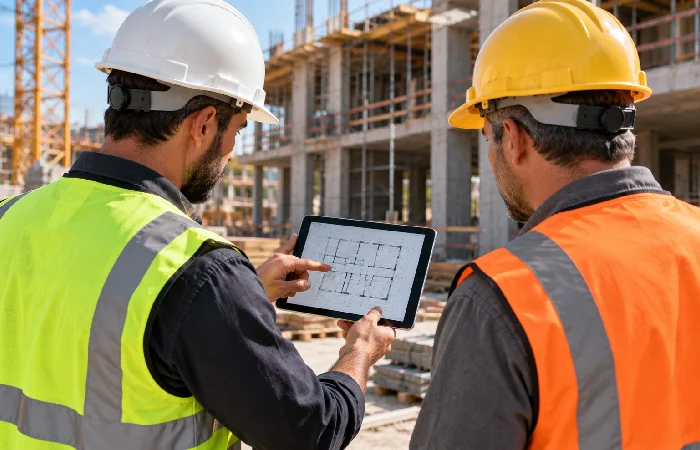
Construction projects produce a constant stream of drawings, permits, change orders and inspection reports. Centralize those documents and the version-control problems mostly go away, the ones that come from emailing PDFs back and forth.
Key document and team features to check for:
- Version-controlled drawing storage, so field crews always see the current revision
- Markup and annotation tools, usable right from a tablet or phone on-site
- Role-based permissions – subcontractors only see documents relevant to their scope
- In-app messaging or comment threads tied to a task or drawing, not a separate email chain
Skip centralized document control and subcontractors end up working from outdated drawings. That’s one of the more common causes of rework on a job site, and one of the more preventable.
Budget and Progress Tracking for Construction Projects
Budget overruns are one of the biggest risks on any build. Most trace back to change orders that never got tracked in real time. Construction-specific software should show committed costs, actual costs and remaining budget, all by cost code. Not just one project-wide total.
| Feature |
What It Does |
Why It Matters for Construction |
| Cost code budgeting |
Tracks spend against specific line items (labor, materials, permits) |
Flags overruns on individual trades before they sink the whole budget |
| Change order tracking |
Logs scope and cost changes with approval history |
Keeps a clear paper trail for disputes and client billing |
| Progress-based invoicing |
Ties draws or invoices to completed work percentages |
Matches cash flow to actual jobsite progress |
| Accounting integration |
Syncs with tools like Sage or QuickBooks |
Avoids double entry between field and back-office systems |
Pricing for full-featured platforms varies widely by company size. Procore’s a good example: $4.5K to $60K per year in 2026, depending on team size and features, according to Software Advice’s construction software pricing research. Smaller platforms, the ones built for independent contractors or small crews, generally sit well below that. Worth requesting quotes based on your actual project volume. Don’t assume enterprise pricing applies to every tool in this category.
How to Choose Construction Project Management Software

Match the software to your operation. Feature count matters less than that. Before committing, weigh:
- Project size and complexity. A single-family remodel contractor doesn’t need the same RFI and submittal depth as a commercial GC running multiple concurrent builds.
- Field usability. If supervisors and subs won’t use the mobile app on-site, the desktop features don’t matter.
- Integration needs. Check whether the tool connects to your existing accounting or estimating software before switching.
- Total cost, not just the sticker price. Onboarding, training, per-user fees – these add up fast, more than the quoted number suggests.
- Support during rollout. Construction crews use software less daily than office teams do. That gap makes onboarding support the difference between a tool that gets used and one that doesn’t.
Managing a small team with a handful of active projects? Weigh this against the broader considerations in our project management software guide first, then narrow down to construction-specific platforms.
Frequently Asked Questions
1. What is the best project management software for construction?
There’s no single best option — it depends on project size. Enterprise contractors with complex RFI and submittal needs often lean toward platforms like Procore, while smaller crews may get better value from lighter, lower-cost tools.
2. Is project management software for construction expensive?
Costs vary widely. Enterprise platforms can run into the tens of thousands per year. Smaller contractors? Their tools sit well below that, usually by a wide margin. Always confirm pricing based on your team size. A general estimate won’t cut it.
3. Do I need construction-specific software, or will general project management tools work?
General tools can handle basic task tracking. But daily logs, RFIs, submittals, cost-code budgeting – that’s usually where they fall short. Most contractors end up needing all of it as projects scale.
4. Can construction project management software replace accounting software?
No. It’s designed to integrate with accounting systems like Sage or QuickBooks rather than replace them, syncing budget and cost data instead of handling full bookkeeping.
5. What features matter most for small construction teams?
Mobile scheduling access, simple document sharing, basic budget tracking – these matter more for small teams. Enterprise-grade bid management or ERP integrations? That’s a larger-platform concern.
Choosing the right platform starts with an honest count of your active projects and crew size. Not the feature list on a vendor’s homepage. Match the tool to that reality first, then compare pricing.
For a broader view of how construction-specific tools fit into project management software as a category, see our project management software pillar guide.
