Published: September 23, 2026
Last Updated: September 23, 2026
Quick Answer: Project management software helps you plan projects and assign tasks. Set deadlines, track progress, and manage resources. Keep all the project information in one place instead of scattered everywhere. The right tool depends on team size, workflow, and project complexity. Time tracking, integrations, reporting, and budget, all factor in too. Figure out your workflow before you go shopping for features.
Spreadsheets, email, chat, documents, a handful of separate task lists, work gets hard to manage once it’s spread across all of that. Tasks, owners, deadlines, files, progress updates. One shared system instead, that’s what project management software is actually for.
Fitting how you actually work matters more than fitting how some vendor imagined you’d work. Five client projects run very differently from a software team’s sprint cycle, barely any overlap there at all. An enterprise juggling several connected programmes needs more structure than either one, often a lot more.
This guide covers what project management software actually does. Which features matter most, how it holds up for small businesses and freelancers, what to check before committing to a tool, all of that’s coming up.
What is project management software and how does it work?
Project management software is a digital system. Planning, organizing, executing, tracking, that’s the job it does. Tasks, assignees, deadlines, milestones, files, communication, reporting, project progress, all of it can live in one place instead of scattered across separate tools.
A goal or a deliverable, that’s usually where a project starts. The Project Management Institute’s definition of a project frames it as a temporary effort undertaken to create something unique, a product, service, or result. Smaller tasks come next. Owners get assigned, dates get added, dependencies get connected where they need to be, and someone keeps an eye on how it’s all moving.
A website redesign is a decent example. Research, wireframes, design, development, testing, launch, each one becomes its own stage. Every stage can hold smaller tasks underneath it too, each with its own owner and deadline.
Most project management tools don’t limit you to one way of viewing all this. Lists, Kanban boards, calendars, timelines, Gantt charts, depending on the platform, you might get several of these at once.
Project management software vs. task management software
Task management software sticks mostly to individual or team-level tasks. Project management tools go further. Project-level planning, dependencies, milestones, reporting, resource management, a whole layer of controls task apps generally don’t touch.
That difference starts to matter once a project has a lot of connected tasks. Task A has to finish before Task B can even start, and dependency tracking is what actually surfaces that relationship. Otherwise it just sits buried somewhere in a spreadsheet or a chat thread nobody rereads.
How project management software works
A common workflow looks like this:
- Create the project. Objective, scope, key deliverables, get those defined first.
- Break down the work: deliverables split into tasks, subtasks, and milestones.
- Assign ownership. Every task needs an owner, plus whoever else is collaborating on it.
- Set dates, start dates, deadlines, milestone dates, all of it.
- Connect dependencies: figure out what has to happen before something else can even begin.
- Track progress. Task status gets updated, timelines get watched.
- Review performance. Reports, dashboards, time records, budget numbers, whatever surfaces delays or changes worth acting on.
Everyone ends up looking at the same thing this way. What needs to happen, who’s doing it, when it’s due.
Project management software for small businesses and freelancers
Small businesses and freelancers rarely need what a large organization needs. Less complexity, usually, across the board. The trick is picking enough functionality to actually control projects. Not so much that maintaining the system becomes its own job on top of the work.
Buyer guides right now tend to split tools up differently. Team size, workflow, client work, organizational complexity, these are the categories doing the sorting. Nobody’s pretending one feature set fits every kind of user anymore.
What small businesses should look for
A small business may need:
- Task assignment and deadlines
- Project templates
- Calendar or timeline views
- File sharing
- Team comments
- Basic reporting
- Time tracking when work is billed by hours
- Integrations with existing business software
- Mobile access
- Automation for repetitive tasks
Ownership gets messy fast once several people are working on the same projects. Somebody has to be able to glance at a task and just know, no guessing, who owns it. Same for anything blocked by another task, that needs to be just as obvious, not buried in a thread somewhere.
Growing teams run into a different pressure. Resource capacity and reporting start mattering more, mainly because managers actually need to see how work is spread across people and across projects, not just guess at it.
What freelancers should look for
Freelancers have different requirements. One person may handle project planning, delivery, communication, time tracking, and billing.
Useful features can include:
- Client-specific projects
- Task and deadline tracking
- Time tracking
- Recurring tasks
- File sharing
- Client access or guest permissions
- Project budgets
- Invoicing integrations
- Simple reporting
Time tracking is particularly useful when clients are billed by the hour. Some project management platforms can record billable and non-billable time and connect time records with invoicing workflows.
The main trade-off is complexity. A freelancer who only needs tasks, deadlines, and time records may gain little from an enterprise-style platform with a large number of administrative features.
Project planning and tracking software explained
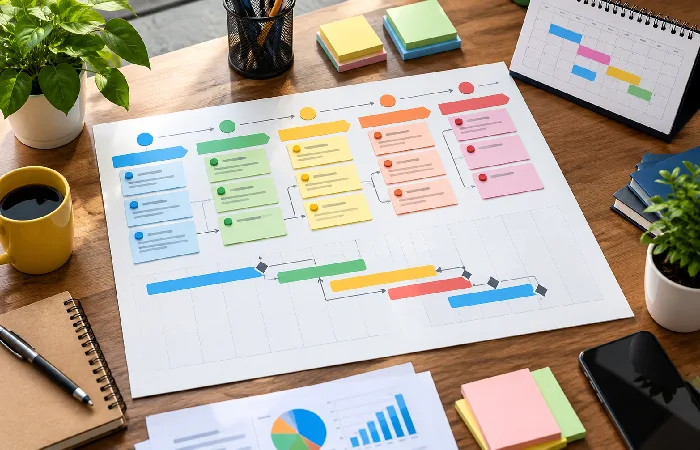
Planning happens up front, then keeps happening as the work moves along. Tracking works differently. It’s about comparing what’s actually happening against whatever the plan said would happen.
Scope, deliverables, dependencies, schedules, responsibilities, planning software exists to help nail all of that down. Atlassian’s project planning guidance gets into this too, breaking complex projects into manageable chunks, visualizing timelines, keeping dependencies visible as work progresses. Once planning’s done, tracking takes over: task status, deadlines, time, budgets, whatever else needs watching as the project actually runs.
A useful project management system should connect these two activities rather than forcing you to maintain separate plans and tracking records.
Common project planning features
| Feature |
What it helps you manage |
Suitable use |
| Task lists |
Individual pieces of work |
Most projects |
| Subtasks |
Smaller steps inside a task |
Detailed workflows |
| Milestones |
Important project checkpoints |
Projects with major deliverables |
| Gantt charts |
Timelines and dependencies |
Sequential or complex projects |
| Kanban boards |
Work moving through stages |
Continuous workflows |
| Calendars |
Dates and scheduled work |
Deadline-focused teams |
| Dependencies |
Relationships between tasks |
Projects with linked activities |
| Project dashboards |
Overall project status |
Managers overseeing active projects |
Gantt charts earn their keep once task timing and dependencies start getting complicated. Kanban’s a better fit for work that moves through clear stages instead, one column to the next. Zoho Projects covers both, task lists, Kanban views, and Gantt charts. Dependencies, milestones, and project dashboards round out the rest.
How project tracking works
Project tracking gives the team a current view of progress.
Instead of asking each person for a separate update, the project system can show task status, ownership, deadlines, time, and other available project data. Tracking tools can also generate progress reports and dashboards.
A simple tracking workflow is:
Plan → assign → execute → update → review → adjust
The important part is keeping project information current. A sophisticated dashboard is not useful if team members rarely update their tasks.
What time tracking and workflow features should you look for?
Time tracking and workflow management become more important when work is billed by time, projects have strict budgets, or the same process happens repeatedly.
Time tracking records how much time actually goes into tasks and projects. Reporting, billing, and payroll, those records can feed into any of it depending on the software. Some tools also use it to compare planned time against what actually happened, which is often where the real value sits.
Workflow features control what happens as work moves from one stage to another.
For example:
New request → assigned → in progress → review → approved → complete
Automation handles the repetitive stuff. Update a status, assign work, spin up a recurring task, whatever the rule is set to do once certain conditions are met. Most project management platforms are leaning harder into this kind of workflow automation these days, not just as an add-on feature anymore.
Features worth checking
When comparing tools, look at:
- Time tracking: people should be able to log time against specific projects and tasks.
- Billable hours: billable and non-billable time need to stay separate.
- Dependencies: the system should show which tasks are waiting on others.
- Automation: repetitive workflow steps ought to run on their own, not need a human every time.
- Recurring tasks: regular work either gets created automatically or someone’s stuck setting it up manually, worth knowing which.
- Reporting: planned time and actual time, project progress too; can you actually compare them?
- Budgets: is there a way to monitor project costs?
- Integrations: does it connect with whatever your team’s already using?
- Permissions: clients, contractors, team members- can you control what each one sees?
Zoho Projects is one example here. Timers and timesheets are built in. So are dependencies, recurring tasks, budgeting, and reports. Skip picking a feature just because it exists somewhere on the list. Whether the team will actually touch it day-to-day- that’s the part worth checking first.
How to choose project management software for your team
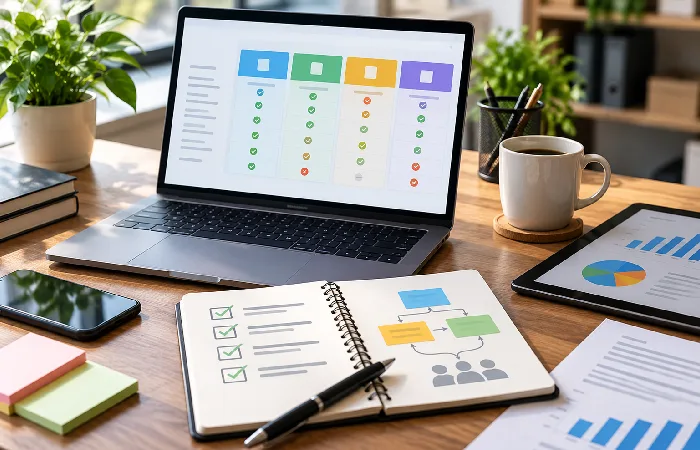
Workflow first, feature list second, that’s the real order for choosing project management software. Team size, work structure, budget, methodology. Integrations and whatever features a team actually needs round out the rest, and current buying guides keep pointing back to these same factors.
Business requirements should drive the decision, not how many features a tool happens to have. The Project Management Institute’s software-selection guidance backs this up too, pushing teams to match software capabilities against actual organizational needs while also weighing usability and where things are headed long-term.
1. Define the work you need to manage
List the projects your team runs and how work moves through them.
Ask:
- Are projects short or long?
- Are tasks dependent on one another?
- Do you use recurring workflows?
- Do clients need access?
- Do you bill by time?
- Do you need resource planning?
- Do different departments work on the same projects?
This gives you a practical requirements list before you start comparing software.
2. Match the tool to your team size
A solo freelancer usually gets by on simple task management and basic time tracking, nothing more elaborate than that. Small teams need more. Shared projects, dependencies, calendars, reporting, that layer starts mattering once more than one person’s involved. Larger organizations are a different scale entirely, resource capacity planning, portfolio reporting, advanced permissions, integrations, administrative controls, the list keeps growing the bigger the org gets.
Whatever tool you land on should solve the workflow you actually have right now. Not pile on administrative work nobody asked for.
3. Choose the right project views
Not every view answers the same question. A list works when the task view just needs to be straightforward, nothing fancy. Kanban’s the pick once work starts moving through defined stages. When dates and deadlines matter more than anything else, a calendar earns its spot. Gantt charts come in for the trickier cases, schedules and dependencies that need someone actually watching them closely.
Most platforms these days don’t make you choose just one. Several views of the same project data, often side by side.
4. Check time tracking and resource needs
Billing by the hour changes things. Time tracking isn’t optional anymore, not really, it’s close enough to a requirement at that point. Overloaded employees point to a different problem entirely, one that resource and workload features are built to catch. Capacity, availability, whether someone’s already stretched too thin before a manager assigns them anything else, that’s what these tools are actually watching for.
5. Check integrations before signing up
Project management software rarely works alone.
Your team may already use email, calendars, cloud storage, communication tools, accounting software, customer relationship systems, or development tools.
Check the integrations first. Whatever your team already depends on day-to-day, the platform needs to actually connect with it. Otherwise the feature list stops mattering much. Employees end up copying information between systems by hand anyway, which defeats most of the point.
6. Test the workflow with real work
A product demo can show what software is capable of. It doesn’t necessarily show whether your team will use it well.
Build a trial project around actual work, not a demo scenario. Real tasks, real owners, deadlines, files, dependencies, all of it. Then watch what happens. Can the team get through normal work without sliding back into spreadsheets or a chat thread the second something gets complicated?
Recent buyer guidance backs this approach up too. Test shortlisted tools against real projects. Adoption, reporting, workflow fit, that’s what actually needs assessing before anyone commits long-term.
7. Compare the total cost
Don’t compare only the advertised subscription price.
Check:
- Number of required users
- Guest or client access
- Features restricted to higher plans
- Annual versus monthly pricing
- Storage limits
- Automation limits
- Time tracking availability
- Reporting features
- Implementation or migration costs
- Integrations that require separate subscriptions
A low starting price can become expensive if the features your team needs are available only on a higher plan.
A simple decision workflow
Use this process before choosing a tool:
Step 1: start by listing out whatever’s actually broken in your current process.
Step 2: figure out the minimum feature set that would fix those problems, nothing extra.
Step 3: narrow it down to two or three tools worth actually testing.
Step 4: run a real project through each one.
Step 5: how much friction shows up, and are people actually using it?
Step 6: total cost matters here, calculated at the team size you expect to be, not the one you have today.
Step 7: integrations, permissions, reporting, data requirements, confirm all four before moving further.
Step 8: pick whatever actually fits the workflow you need to manage day to day.
This whole process is really just a way to judge tools by fit instead of by feature count.
Frequently asked questions
1. What is project management software?
A digital system. That’s the short version. Planning, organizing, assigning, tracking, that’s what it’s built to handle. Tasks, deadlines, project information, collaboration, reporting, other project controls. One place instead of scattered across tools.
2. What features should project management software have?
Task management, project planning, deadlines, milestones, collaboration, reporting, project tracking, that’s the core set most tools cover. Beyond that it depends on your workflow. Gantt charts, dependencies, time tracking, resource management, automation, budgeting, integrations, any of these might matter depending on how complex things get.
3. Is project management software useful for small businesses?
Yes, when it actually fits how the business runs. Assigning work. Tracking deadlines. Organizing project information. Collaborating with the team, keeping an eye on progress, small businesses can handle all of that without leaning on separate spreadsheets or a mess of scattered messages.
4. Is project management software useful for freelancers?
Yes. For freelancers specifically, it comes down to organizing client projects, managing deadlines, and tracking tasks. Recording billable hours matters too, and keeping everything in one place instead of five different tools. What actually matters most, client access, invoicing, detailed time tracking, comes down to how that particular freelancer works.
5. What is the difference between project planning and project tracking software?
Planning deals with the work itself. Before it starts, while it’s running, schedule and deliverables and dependencies are all defined up front. Tracking looks at something else entirely, actual progress measured against whatever the plan said would happen, task status, deadlines, time. Most full platforms don’t make you pick just one.
6. How do I choose project management software?
Team size, project type, workflow, budget, essential features, start there. Shortlist whatever fits. Testing comes next, with real project work, not a demo. Usability, integrations, reporting, permissions, total cost, compare all of it before committing to anything long-term.
Choosing project management software starts with your workflow
Project work should get easier to organize and track, that’s the whole point of software like this. What your team actually needs matters more than how many features sit on a vendor’s product page.
Start with the workflow you’ve already got. Where does it lose time, information, ownership, visibility? Software should go after those specific gaps, not just add more features on top.
A small team might just need simple task management, deadlines, collaboration, nothing more elaborate. Time tracking and billing tend to matter more for a service business, since the work itself gets billed by the hour. Complex projects pull in a different set entirely, dependencies, Gantt charts, resource planning, reporting, usually all at once.
Shortlisting a few tools and testing them against real work, before locking into anything long-term, that’s the practical next move.
