Published: July 1, 2026
Last Updated: September 18, 2026
It’s 2:40 PM on a Wednesday. Somewhere in the last twenty minutes, you lost the thread of that Slack conversation entirely — and your neck is doing something that’s going to cost you later. The one charging cable you actually need is buried under three others that connect to nothing. That isn’t a motivation problem. That’s a friction problem, and the right productivity gadgets for office work can fix it faster than any time management course.
This guide covers 10 gadgets mapped to specific desk problems, with pricing for India and global buyers, honest notes on who should skip what, and a setup sequence that puts them in the right order. If you’re still building the basics, our essential office desk gadgets guide covers the broader picture first.
The short answer: Eye fatigue and wrist strain are what most desk workers hit first — so a monitor light bar and an ergonomic vertical mouse earn priority. The USB-C docking station comes next, purely because cable chaos compounds every single morning. The Pomodoro timer and noise-cancelling headphones round out the list — the timer if your afternoons keep bleeding into nothing, the headphones if other people’s noise is the specific thing killing your focus. Start wherever the problem is most obvious right now.
Disclaimer: Everything here draws from publicly available information — manufacturer specs and major retailer listings — as of July 2026. Prices shift. Availability changes. Check the official product page before you buy, because features can update without much notice.
Key Takeaways
The best productivity gadgets for office work in 2026 are the ones that fix a problem you already feel at your desk — not the ones with the longest spec sheet. This guide covers 10 picks sorted by problem category (focus, ergonomics, connectivity, lighting, note-taking), with India and global pricing for each, a setup sequence that puts them in the right order, and honest notes on when to skip a category entirely.
Definition
Productivity gadgets for office use are physical tools and peripherals designed to reduce daily desk friction — wrist strain, screen glare, cable clutter, broken focus — so that the person sitting at the desk can spend more time on actual work and less time fighting the setup.
What’s Actually Going Wrong at Your Desk
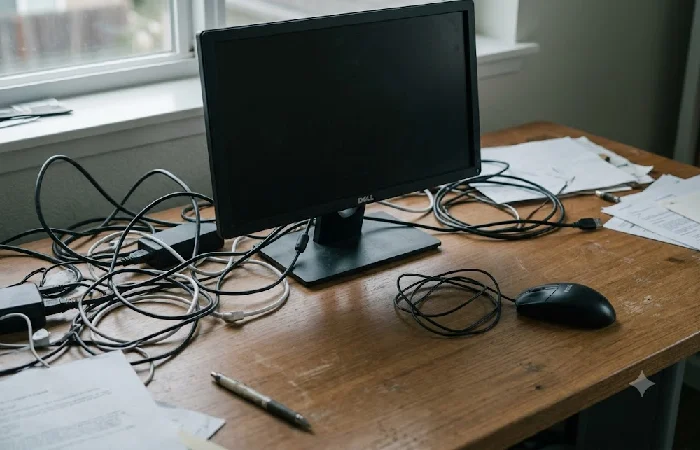
Before the product recommendations, let’s name what’s actually going wrong. You probably recognise at least two of these.
- Your focus keeps bleeding out. Notifications pull you into your phone, and there’s no structure separating a deep-work block from a shallow one. By 4 PM, you’ve been busy all day and finished almost nothing.
- Your body is fighting the desk. Wrist strain from a flat mouse. Neck tension from a monitor that sits too low. Eye fatigue from overhead lighting that throws glare across your screen.
- Cables run the show. Every morning starts with plugging in three adapters and hunting for the right USB port. Some mornings, you just skip the second monitor because it isn’t worth the hassle.
- One screen isn’t enough. You toggle between twelve open windows, losing context every time you switch. The mental overhead adds up quietly across an eight-hour day.
- Thoughts fall through the cracks. A task you meant to capture during a call vanishes by the time you open your to-do app. Handwritten notes sit in a notebook you don’t carry.
That’s the list. Everything below maps to one of these five problems.
Focus and Deep Work Gadgets
A Physical Focus Timer Beats the Phone App
Pomodoro timing isn’t complicated: work in timed blocks, usually 25 minutes, then take a short break. What makes a physical timer worth having isn’t the interval system — it’s that you never touch your phone to start a session. The moment you pick up a phone to set a timer, you’re one notification away from a fifteen-minute detour.
The TickTime Cube (~₹3,500 / ~$35) works well because you just flip it to the side marked with your preferred interval. The OORAII Rotating Timer is a lower-cost alternative available on Amazon.in.
Skip if: You already run a reliable time-blocking system in software and it genuinely doesn’t tempt you into your phone. No judgment — some people have that discipline. If our best Pomodoro timers for deep work comparison interests you, that goes deeper on the options.
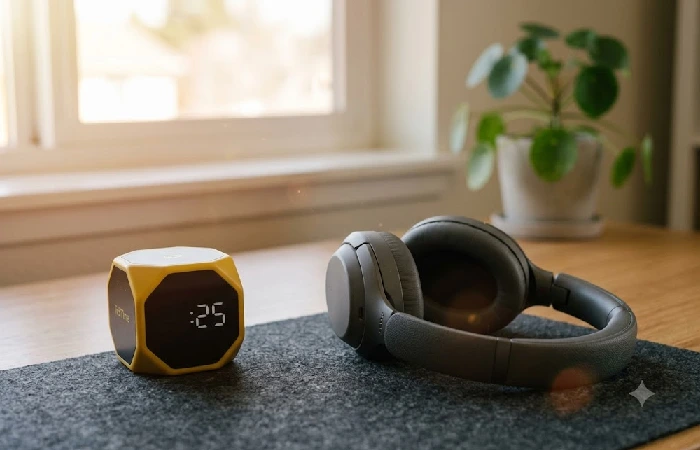
Focus tools cheat sheet
In a noisy shared office, ANC headphones are often the highest-impact single purchase on this list — and that’s a strong claim, but it holds up across user reviews. Active noise cancellation reduces ambient sound by generating an opposing sound wave, a principle covered in headphone maker documentation, which is why the effect on focus is mechanical rather than psychological: the distraction source is physically reduced. By early 2026, this category was consistently showing up at the top of productivity upgrade lists across major retail and tech review platforms — specifically for noisy environments, not quiet ones.
Nobody’s really challenged the Sony WH-1000XM5 (~₹22,000 / $280) at the top of this category in a while. Budget alternative: the JBL Tune 770NC at ₹5,500 — solid ANC, ships domestically, and doesn’t require a painful wait for import.
Skip if: Your workspace is already quiet. A ₹5,000+ purchase makes no sense when the problem it solves doesn’t exist in your environment.
Ergonomic Gadgets That Fix Posture and Pain
Ergonomic Vertical Mouse
Wrist strain is one of those things you only notice once it’s already a problem. What’s been building is months of holding your forearm pronated — the flat-palm-down position every standard mouse requires — and the U.S. Occupational Safety and Health Administration identifies exactly that as a primary ergonomic risk factor for upper-extremity musculoskeletal disorders (OSHA Ergonomic Risk Factors).
A vertical mouse changes the grip angle to something closer to a handshake. That shift — wrist more neutral, less force on the tendons — is what occupational health guidance has pointed to for years. Most people who switch feel the difference faster than they expected. A week, not months.
Logitech Lift (~₹3,500 on Amazon.in / ~$50 globally): small-to-medium hands, Bluetooth or USB receiver. Plan for about three days before reaching for the old mouse stops being automatic.
Skip if: Your wrists feel fine after a full workday, and you’ve had no tingling or stiffness. Don’t fix what isn’t hurting.
Monitor Light Bar
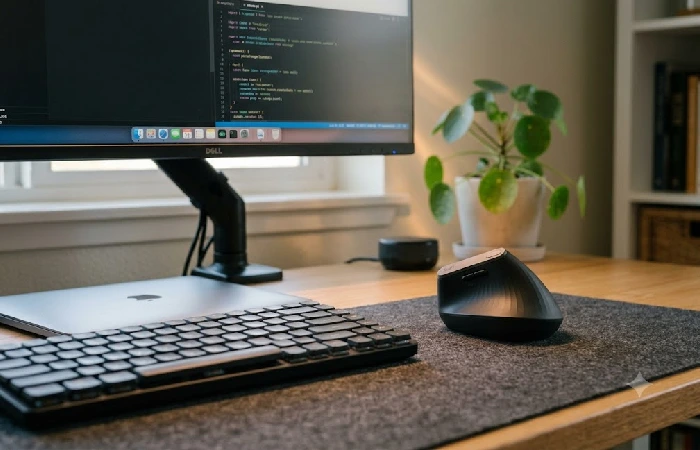
Desk lamps throw light unevenly and eat desk space. A monitor light bar clips to the top of your screen and casts light downward onto the desk surface — no screen glare — and most models adjust brightness automatically based on ambient conditions. The difference in eye fatigue after an eight-hour day is noticeable within the first week, based on long-term user reports in online ergonomics communities.
- Budget: Baseus i-Wok Monitor Light (~₹2,200 / ~$25).
- Premium: BenQ ScreenBar Halo (~₹9,000 / ~$110).
Both work well; the BenQ adds a wireless controller and back-glow.
Note-Taking and Time Tracking Gadgets
Digital Notepad for Work
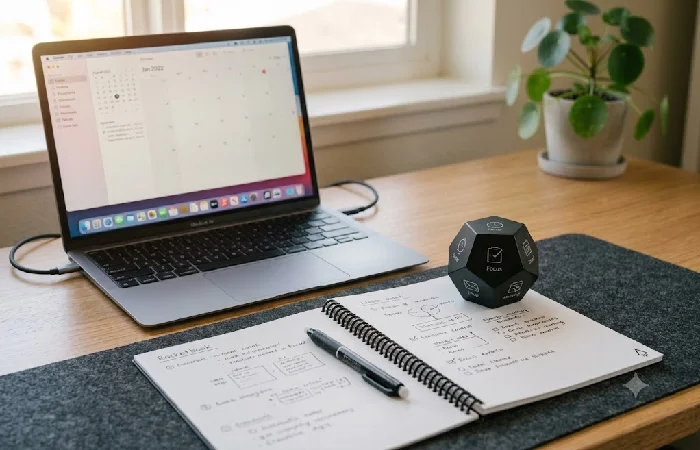
The gap here is one most people don’t think to name. Handwriting works better for certain kinds of thinking — capturing ideas mid-call, sketching an outline, working through something that doesn’t fit a task manager. Rocketbook Core (~₹2,000 / ~$25): reusable, scans to cloud storage through its app. Notes end up somewhere findable instead of sitting in a notebook you stopped carrying.
The reMarkable 2 (~₹35,000 / ~$400) is a different conversation entirely. E-ink, genuinely close to real paper, and priced for someone who writes and reads on it daily — not for someone testing the habit.
Skip if: You’re already inside Notion, Obsidian, or Apple Notes and nothing feels broken. A digital notepad vs tablet for work breakdown can help if you’re stuck between the two.
Time Tracking Gadgets
Physical time tracking gadgets make sense for one specific group: freelancers who bill by the hour, or team leads who want real data on how much time goes to deep work versus meetings. The TIMEFLIP2 (~$75) is an eight-sided tracker you flip to switch tasks. TickTime works as both a Pomodoro timer and a time logger.
Don’t bill hours and have no use for time data? Skip this category. Toggl Track or Clockify handle the same job in software, and they don’t take up any desk real estate.
Display and Connectivity Setup
Dual Monitor Arm
A dual monitor productivity setup is the single largest screen-real-estate upgrade most office workers can make. Research by Jon Peddie Research has repeatedly found that multi-monitor configurations can improve task efficiency by measurable margins, with users spending less time switching between application windows (Jon Peddie Research).
Any gas-spring dual arm with VESA 100×100 mount compatibility works. The Amazon Basics Dual Arm (~₹4,500 / ~$50) goes up to 27 inches. Primary display at eye level — secondary in portrait if you’re reading long documents or writing code, which genuinely changes how much you need to scroll.
One Cable Does All of This
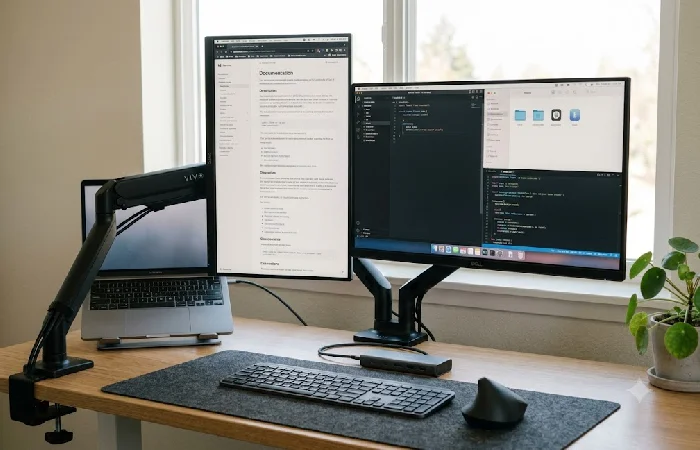
Every morning you plug in three things separately is a small tax that adds up. A USB-C dock cuts it to one connector. One cable goes in, and suddenly your laptop is charging, both monitors are alive, and your mouse, keyboard, and webcam are all ready — before you’ve even decided what to work on first.
That’s USB-C Power Delivery doing the work, officially IEC 62680-1-3 if you want the technical name. One cable, power and data, running at the same time. So yes, it’s charging your laptop and talking to your peripherals through that exact same wire.
Honestly, most people end up choosing between two. The Anker 8-in-1 USB-C hub sits around ₹5,000 ($55) — not flashy, does the job. The CalDigit TS4 is a different beast entirely. ₹28,000 ($300) sounds steep until you’ve tried running two monitors and Thunderbolt 4 devices off the same machine. Then it makes sense.
Got a desktop with ports to spare? Don’t bother. This isn’t a product for you. Docking stations solve a laptop problem.
Once your connectivity layer is set, the next natural step is adding the smart layer on top. Our picks for smart office gadgets that automate your desk cover that.
Your 30-Minute Desk Upgrade Sequence
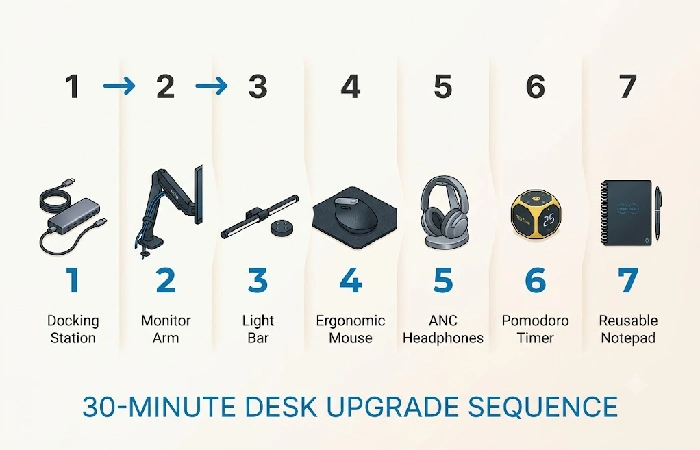
The build order matters. Some of these gadgets depend on others being in place.
| Order |
Gadget |
Why This Goes First |
| 1 |
USB-C Docking Station |
Everything else plugs into this. Set the foundation. |
| 2 |
Dual Monitor Arm |
Mount monitors at the correct height before adjusting anything else. |
| 3 |
Monitor Light Bar |
Clips to the top of your monitor. Needs the arm positioned first. |
| 4 |
Ergonomic Mouse |
Place it after screens are set. Your wrist angle depends on screen height. |
| 5 |
Noise-Cancelling Headphones |
No setup needed. Keep them within reach. |
| 6 |
Pomodoro Timer |
Set within arm’s reach, not on the screen. |
| 7 |
Digital Notepad |
On the desk beside your primary monitor, or in a stand. |
Start with items 1 and 4 if the budget is tight today. Cable friction is a daily tax, and wrist strain is the kind of thing that quietly becomes a real problem before you connect it to the mouse.
Quick-Reference Table — Budget Tiers
| Gadget |
Budget (Under ₹5K / $50) |
Premium |
Priority |
| Focus Timer |
OORAII Rotating Timer |
TickTime Cube Pro |
Medium |
| ANC Headphones |
JBL Tune 770NC |
Sony WH-1000XM5 |
High |
| Vertical Mouse |
Logitech Lift |
Logitech MX Vertical |
High |
| Monitor Light Bar |
Baseus i-Wok |
BenQ ScreenBar Halo |
High |
| Docking Station |
Anker 8-in-1 |
CalDigit TS4 |
High |
| Monitor Arm |
Amazon Basics Dual |
Ergotron LX Dual |
Medium |
| Digital Notepad |
Rocketbook Core |
reMarkable 2 |
Low |
| Time Tracker |
TickTime Lite |
TIMEFLIP2 |
Low |
Prices listed here are what was showing up across major retailers in July 2026 — they move, so double-check before you buy. And look, these picks aren’t gospel. They’re built from spec sheets, real user reviews, and what’s actually available to buy right now. A good starting point. Not the final word.
For the complete desk setup across every category.
Questions Worth Answering Before You Buy
1. Do productivity gadgets actually work, or are they just distractions?
They work when they remove friction you already feel. An ergonomic mouse that stops your wrist from aching by 3 PM isn’t a distraction — it’s solving a problem that was costing you focus. The test is simple: does this gadget fix something you deal with every single week? If so, it earns its spot. If you’re buying it because it looked good in a YouTube thumbnail, it’ll end up in a drawer.
2. What is the single best first upgrade for an office desk?
Depends on which problem you’re already noticing. Wrist strain points to the Logitech Lift (~₹3,500). Eye fatigue points to a monitor light bar (~₹2,200). Both need zero technical setup and land under ₹4,000 / $50.
3. What gadgets actually help you focus at work?
A physical Pomodoro timer keeps your phone out of the equation entirely. ANC headphones remove ambient noise before it breaks your concentration. Neither requires changing any software habits, and together at the budget tier they’re under ₹10,000 / $120.
4. What are the best office desk gadgets under ₹5,000?
A Baseus monitor light bar (₹2,200), a Logitech Lift ergonomic mouse (₹3,500), and a cable management box (₹500–₹1,000). All three together stay under ₹7,000, but each one individually qualifies — and they solve three different problems you’re probably hitting daily.
5. Are noise-cancelling headphones worth it for an office?
In a shared office, co-working spot, or a noisy home — yeah, noise-cancelling headphones genuinely change how your day feels. One of the better purchases on this whole list, honestly. That said, if you’re already working somewhere quiet? You’re solving a problem that doesn’t exist for you.
6. How do I choose between a physical timer and a time-tracking app?
Depends what you need. Physical timer — no phone, no app, just flip and focus. A tracking app is for billable hours and data. Losing focus but hate more screen time? Timer wins every time.
That’s the whole test
Pick the one problem from this list you noticed first. Buy the gadget that maps to it, give it a week, and see whether your Tuesday afternoon feels any different. That’s it. One week. See what happens.
Prices and availability shift — worth checking the product page before you buy. And if something’s causing actual pain, a gadget swap isn’t the fix. See someone qualified.
